You can share your registration link with new members by using the My QR Code feature. New members can either scan your QR code or use the registration link to sign up under your referral.
Step 1: Open the Profile Menu
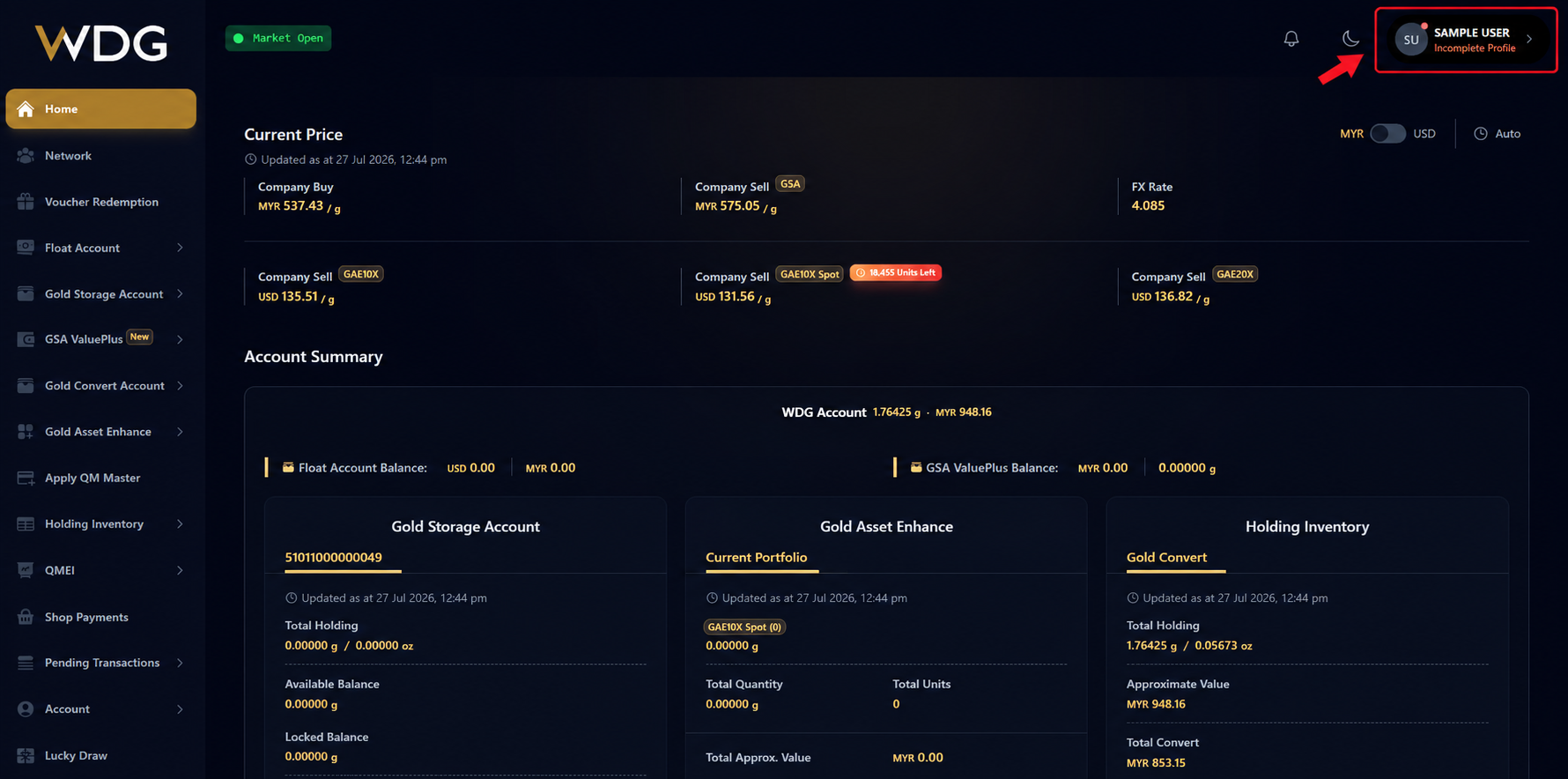
After logging in to your WDG account, click or tap your profile icon in the top-right corner of the dashboard to expand the account menu.
Step 2: Select My QR Code
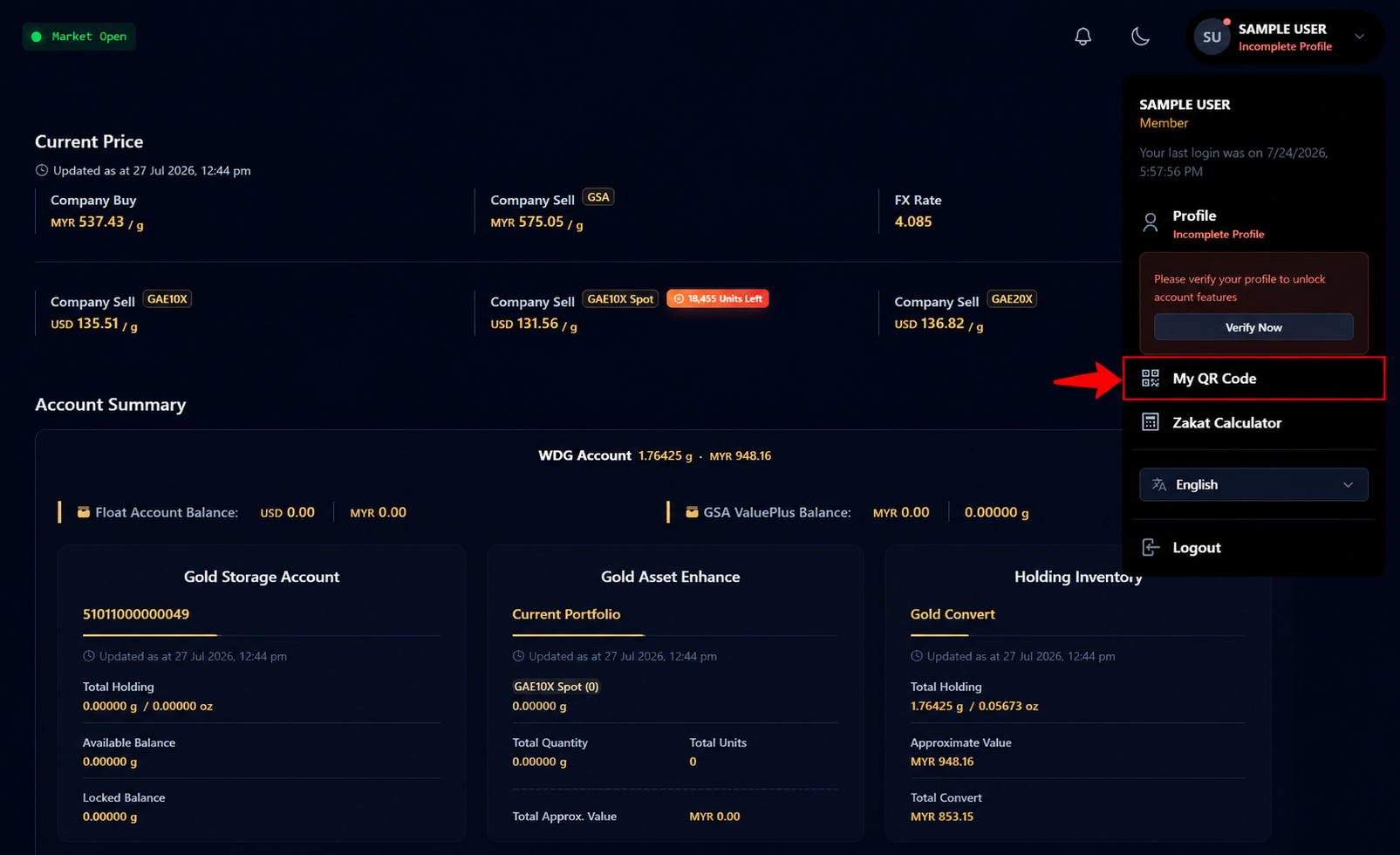
From the expanded account menu, click or tap My QR Code.
Step 3: Share Your Registration Link
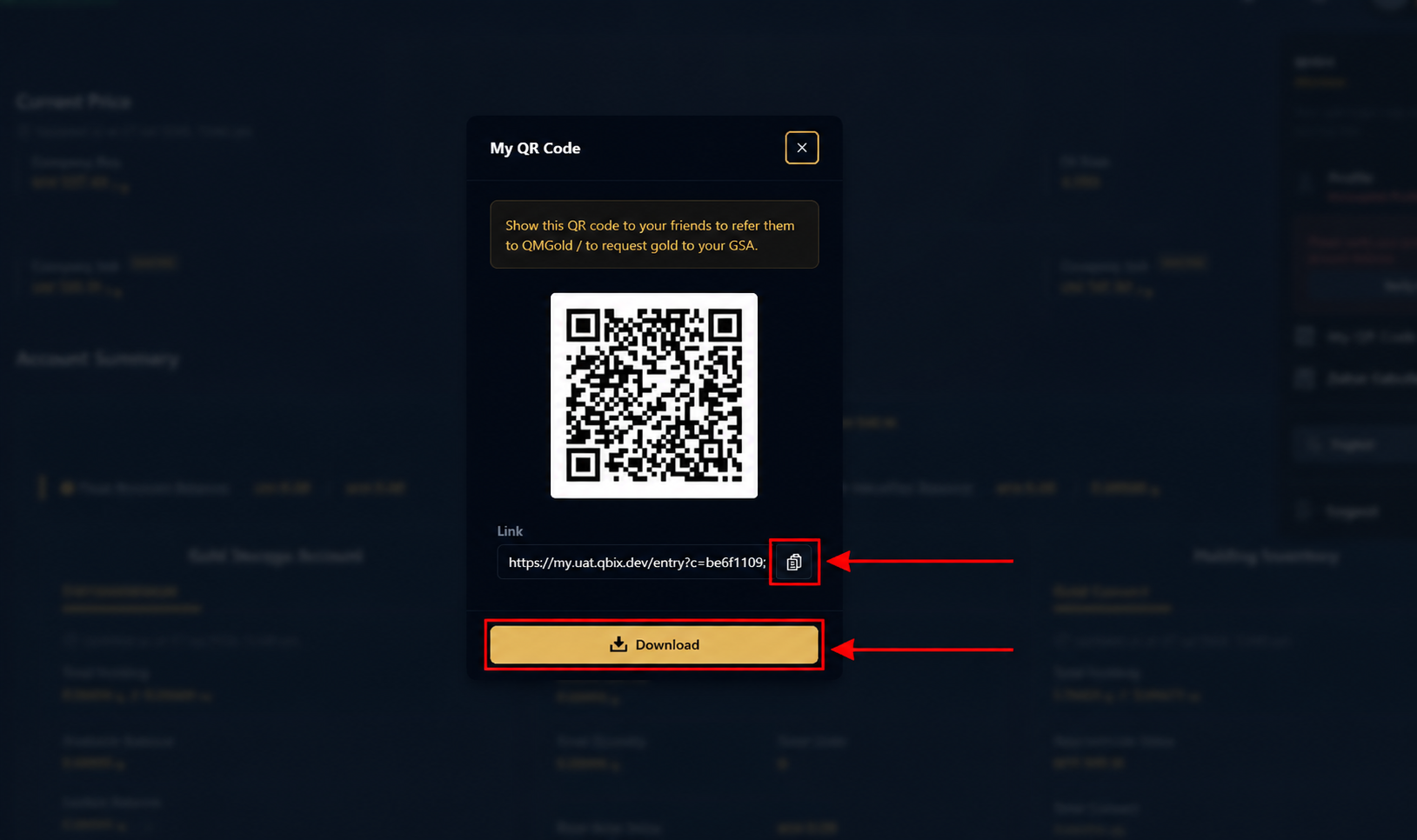
The My QR Code window will be displayed.
You can share your registration details with new members using either of the following methods:
- Copy the Registration Link by clicking the Copy icon next to the link.
- Download the QR Code by clicking the Download button and share it with your new member.
The new member can either:
- Scan the QR code, or
- Open the registration link to register under your referral.
Was this article helpful?
That’s Great!
Thank you for your feedback
Sorry! We couldn't be helpful
Thank you for your feedback
Feedback sent
We appreciate your effort and will try to fix the article