Your Referral Information allows you to view the details of the consultant who introduced you to WDG during your registration.
This information is available in your profile for reference and cannot be modified through the WDG platform.
Step 1: Access the Account Menu
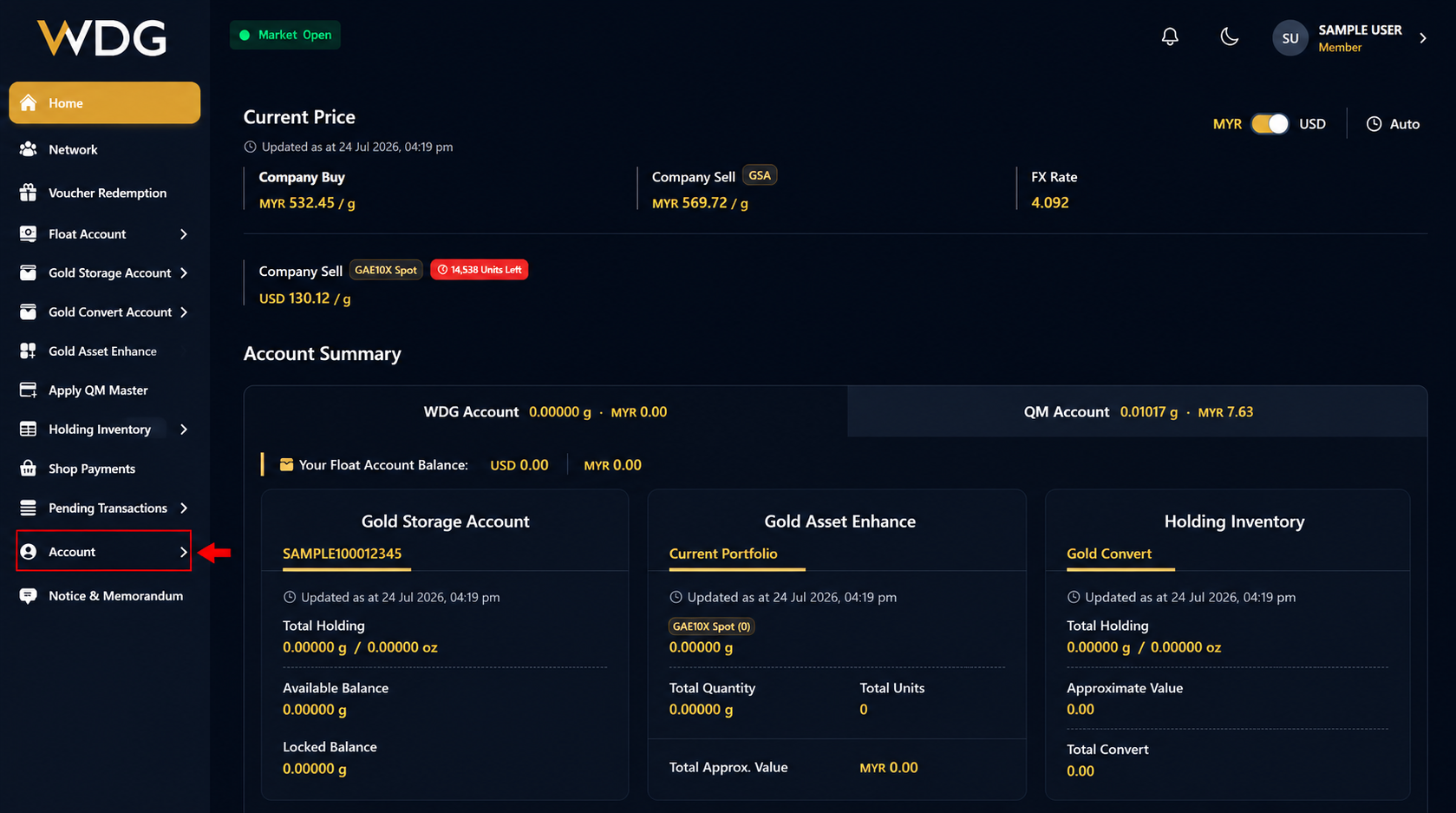
After logging in to your WDG account, locate the navigation menu on the left side of the Dashboard.
Click or tap Account to expand the menu options.
Step 2: Select Profile
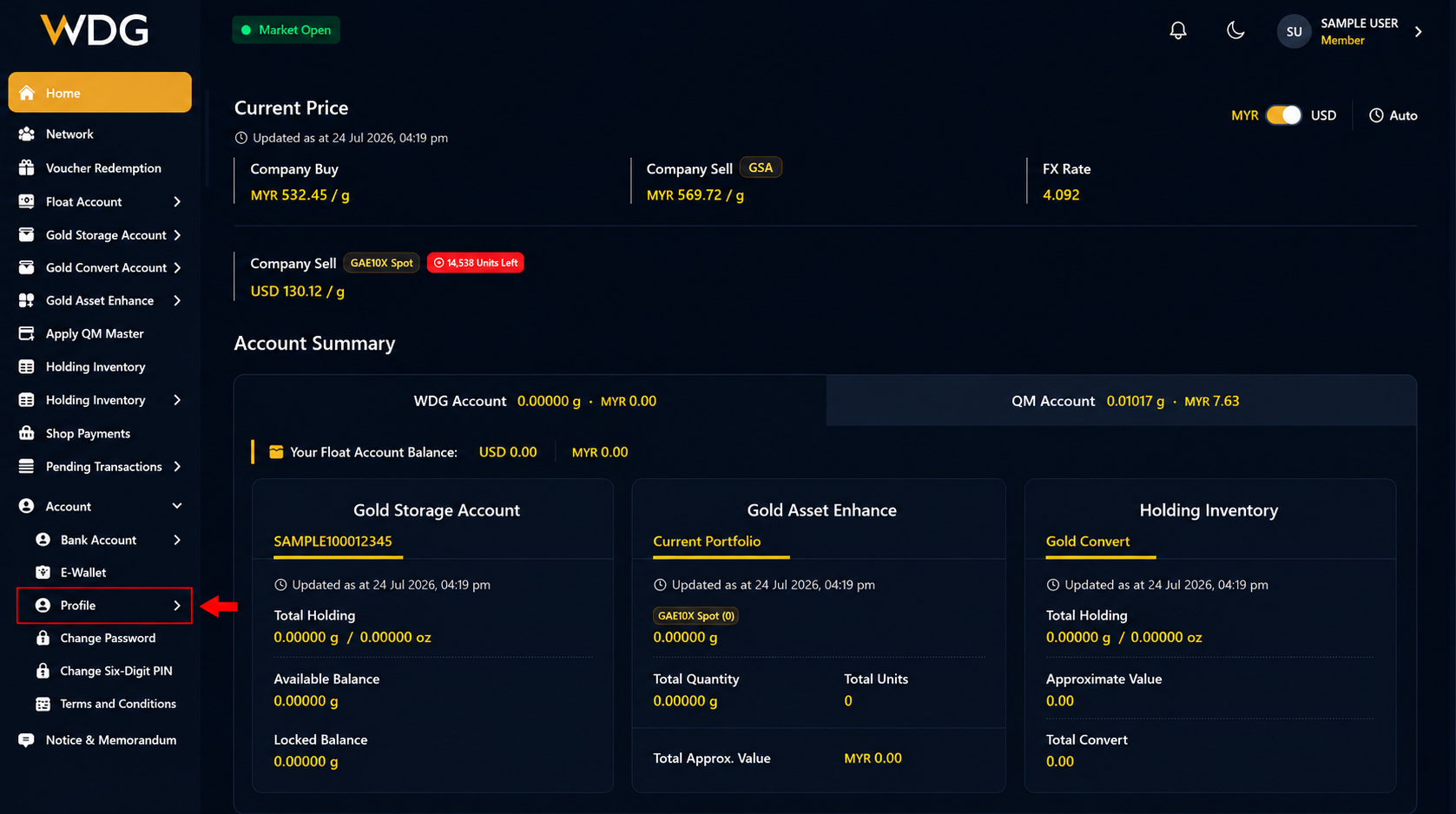
From the expanded Account menu, select Profile.
Step 3: Scroll to Referral Information
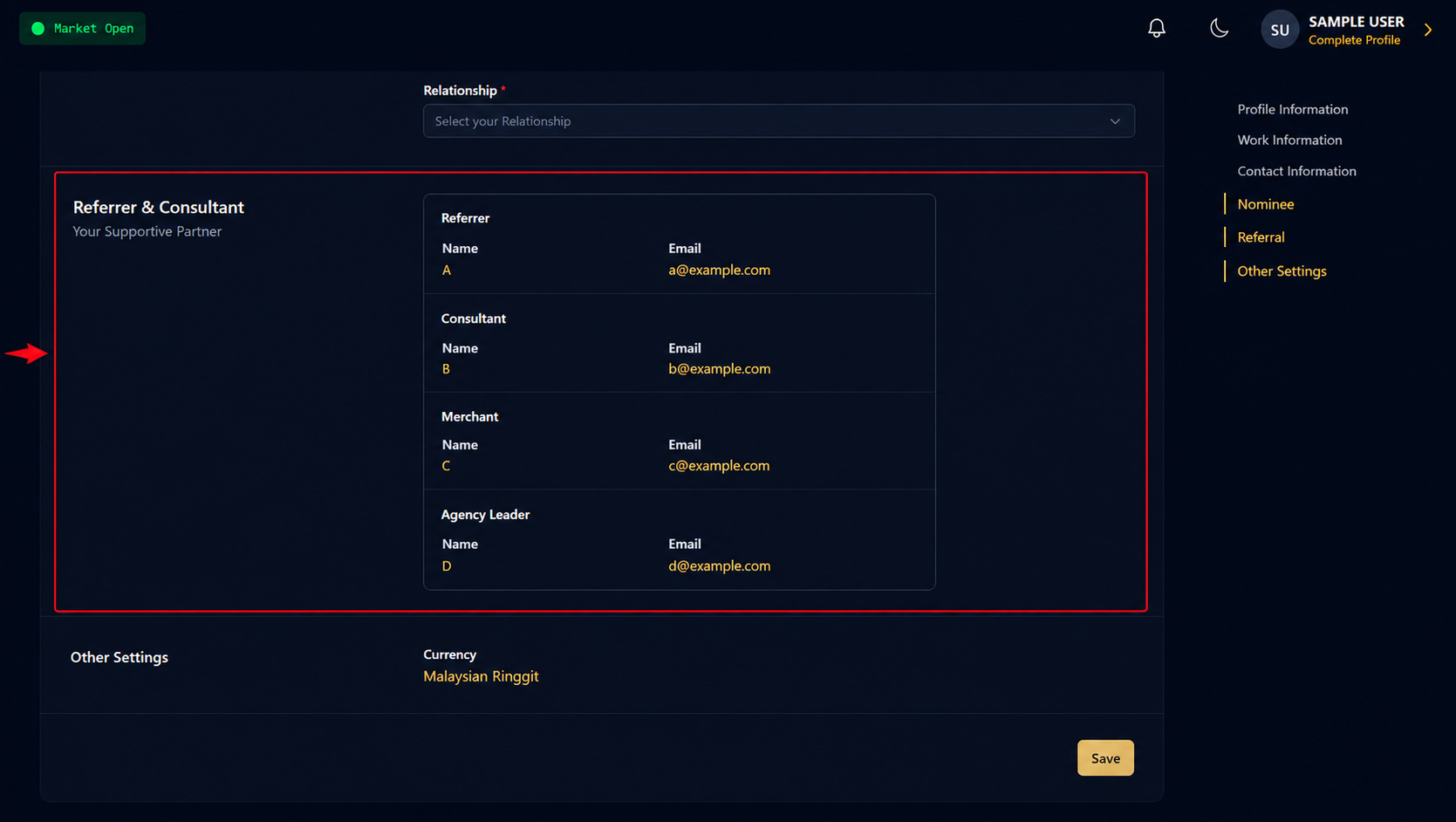
On the Profile page, scroll down until you reach the Referral Information section.
Step 4: View Your Referral Details
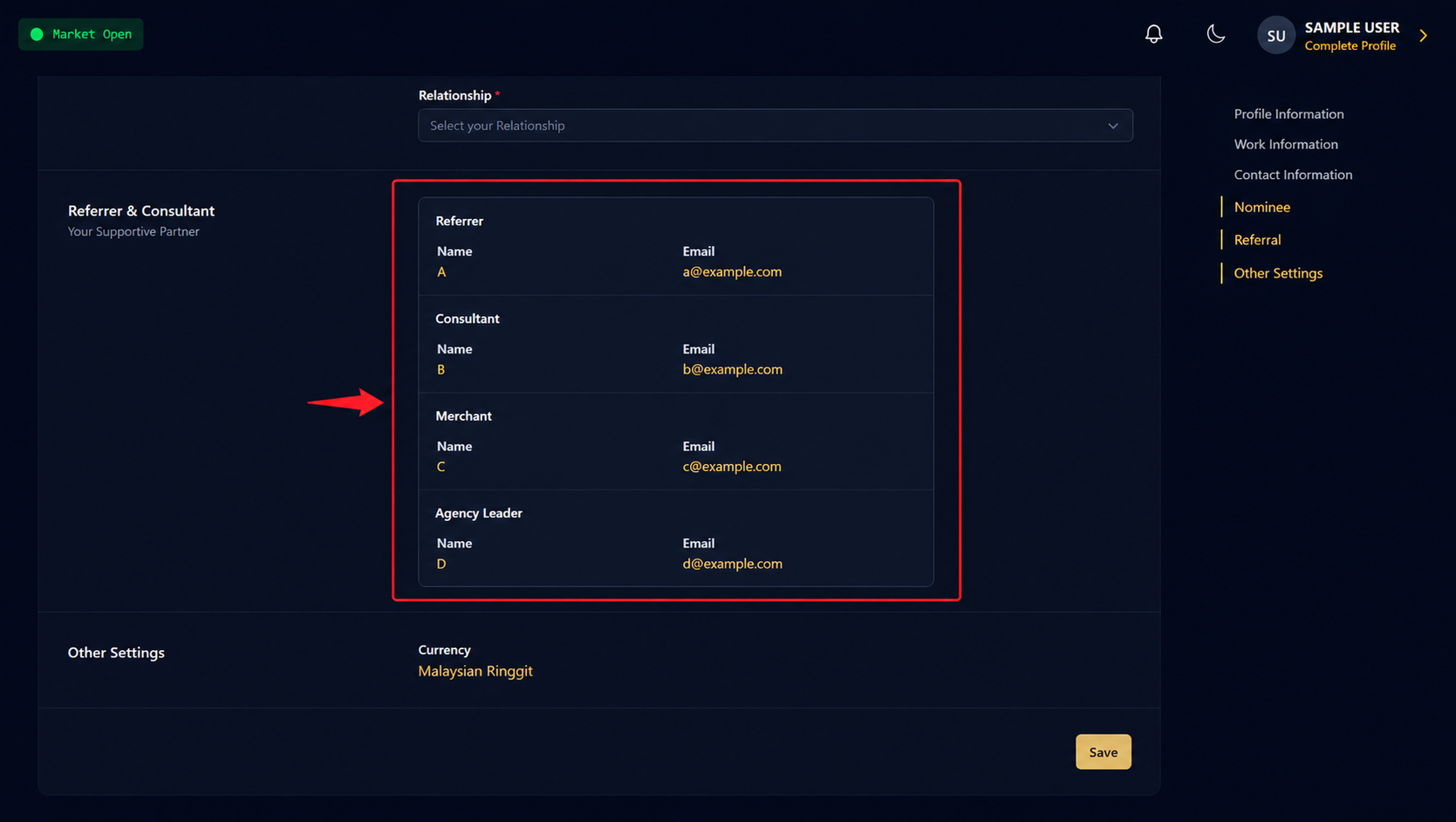
You will be able to view your consultant's information, including:
- Consultant Name
- Consultant Email Address
Was this article helpful?
That’s Great!
Thank you for your feedback
Sorry! We couldn't be helpful
Thank you for your feedback
Feedback sent
We appreciate your effort and will try to fix the article