You can sell the gold stored in your Gold Storage Account (GSA) directly to WDG at the current WDG Buy Price. Once your transaction is completed successfully, the sale proceeds will be transferred to your selected verified bank account.
Step 1: Access the Gold Storage Account Menu
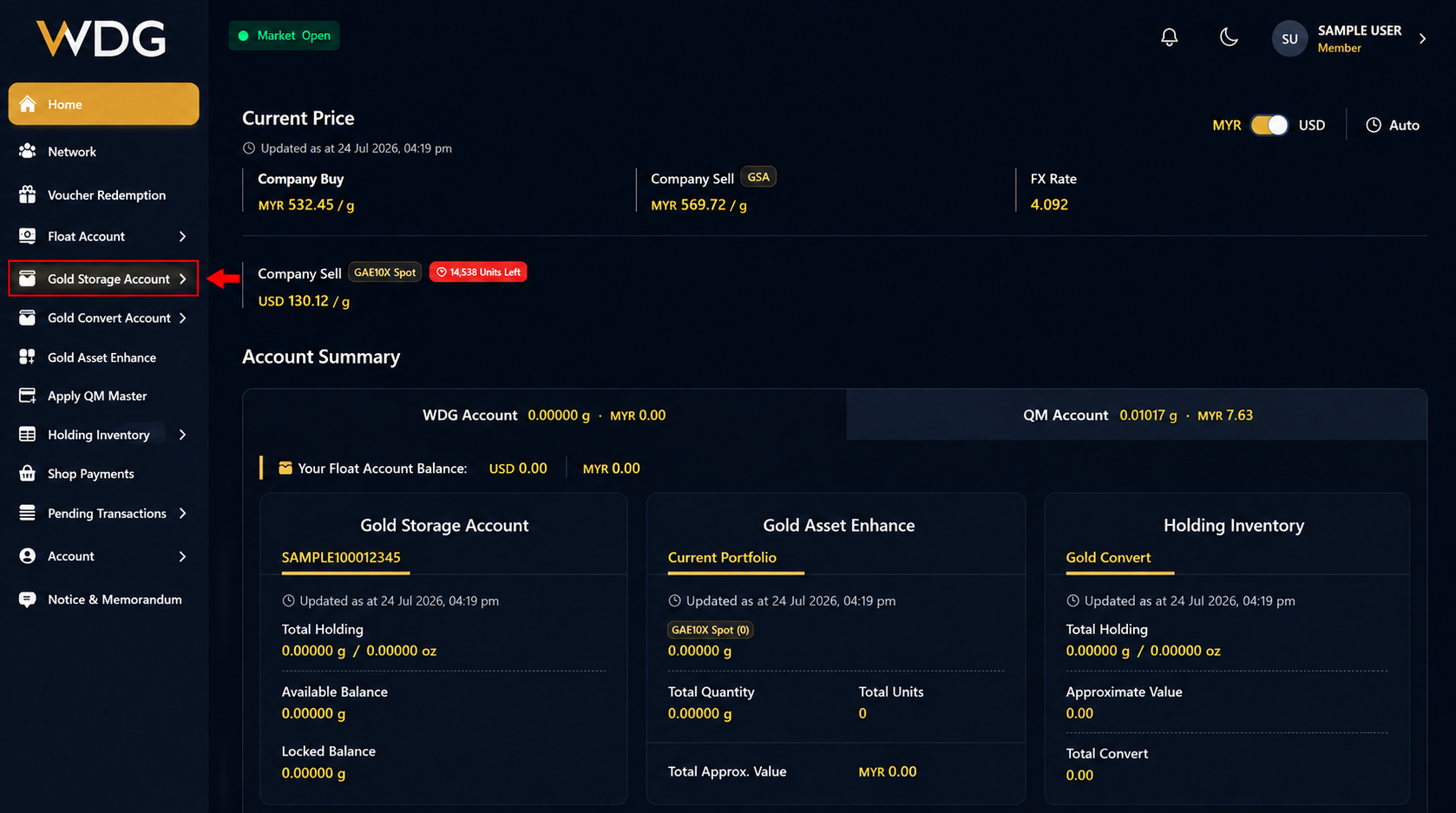
After logging in to your WDG Account, locate the navigation menu on the left side of the Dashboard.
Click or tap Gold Storage Account to expand the menu options.
Step 3: Select Company Buy
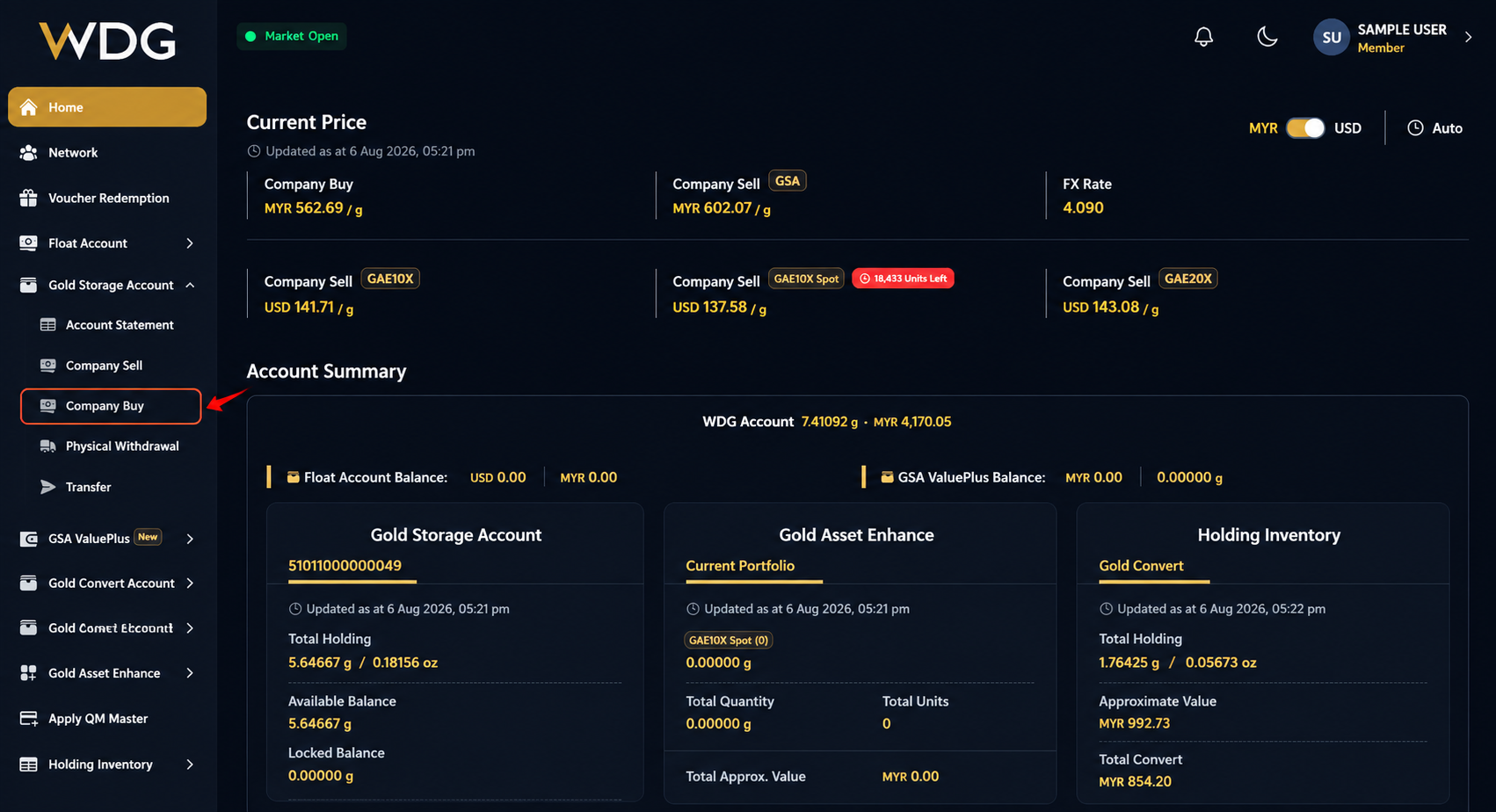
Click or tap Company Buy to begin selling your gold back to WDG.
Step 4: Select the Account
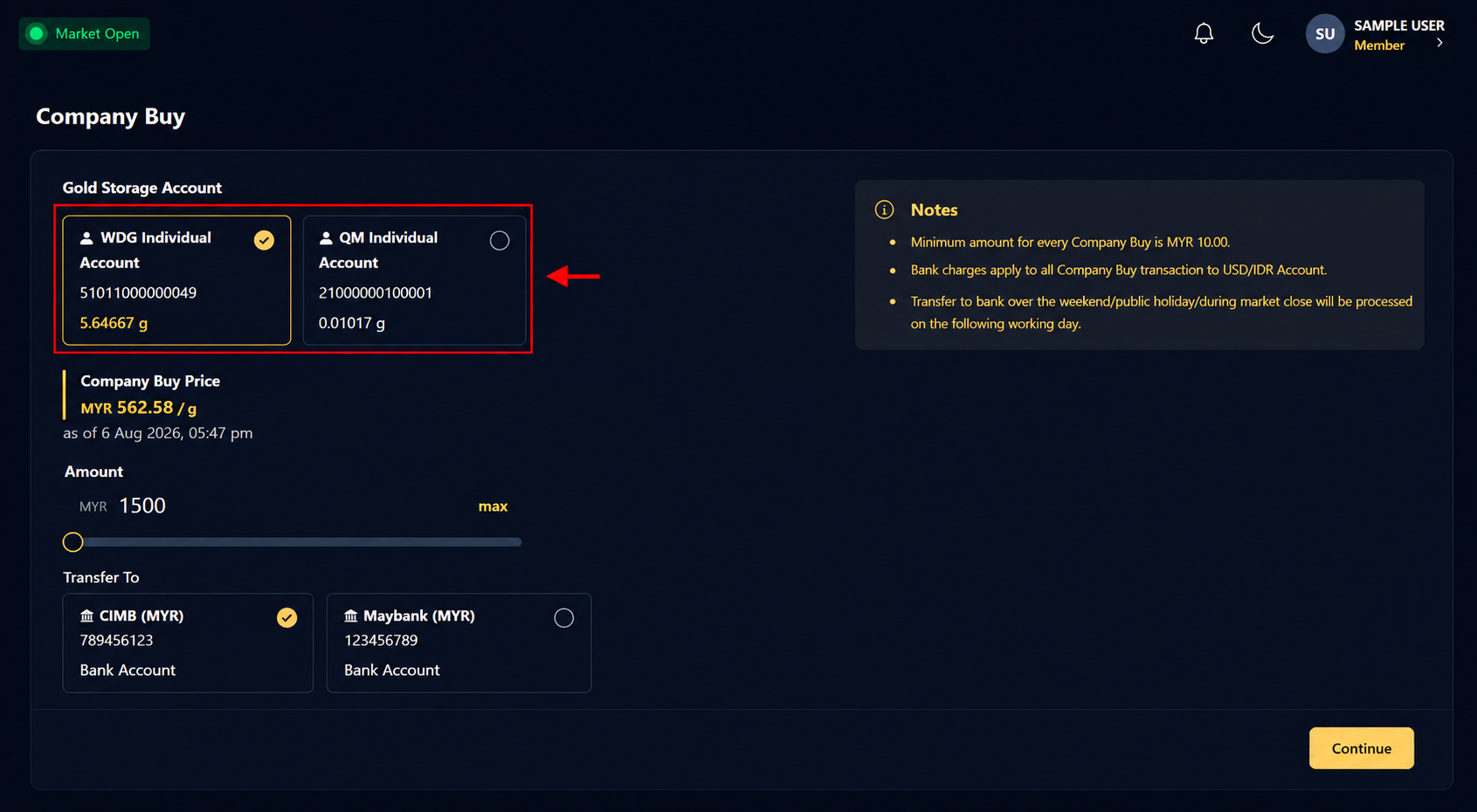
Choose the Gold Storage Account that you would like to sell from.
Step 5: Enter the Selling Amount and select Bank Account
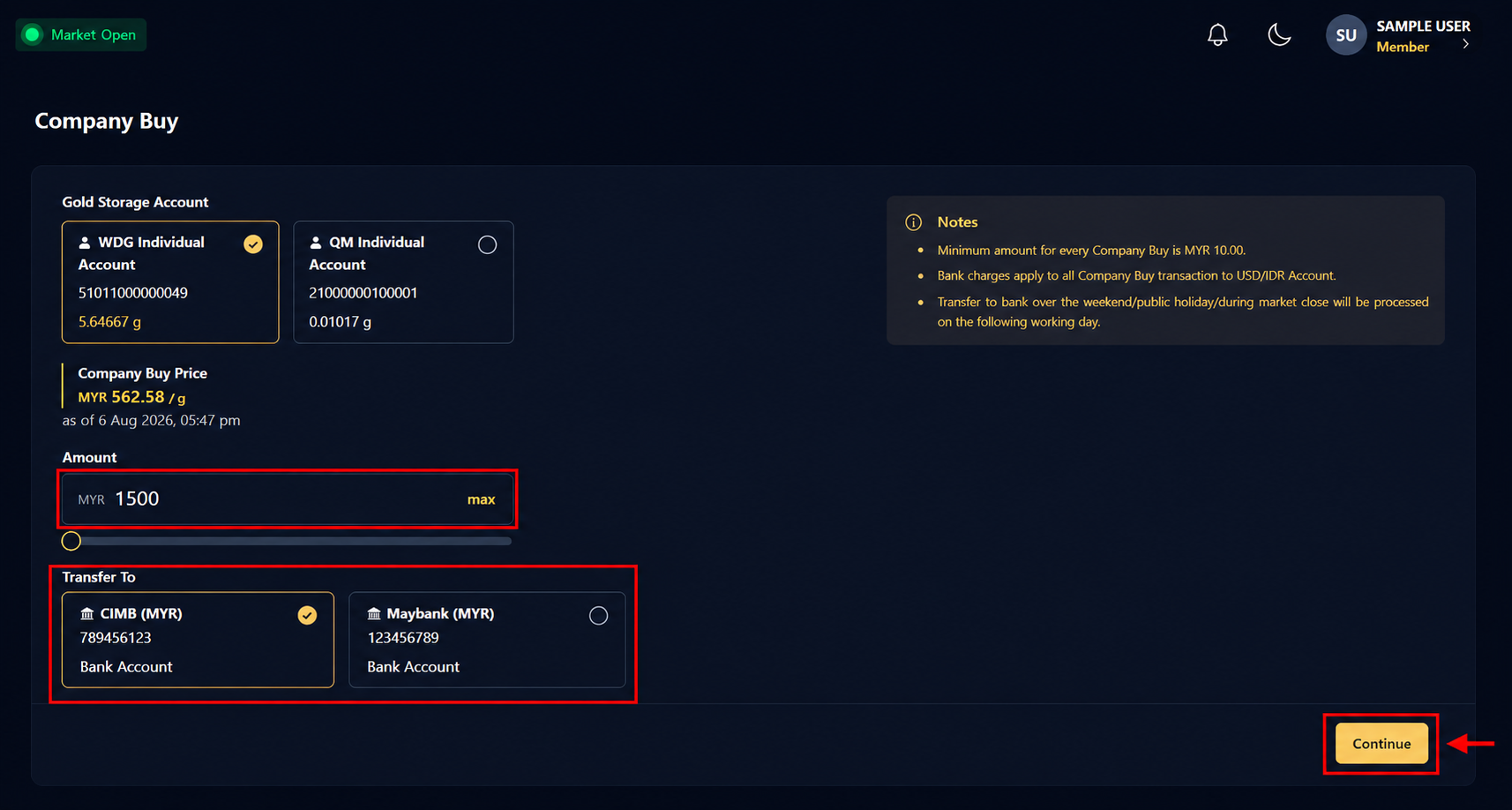
Enter the amount you wish to sell.
After selecting your bank account, click or tap Continue.
Step 7: Confirm the Transaction
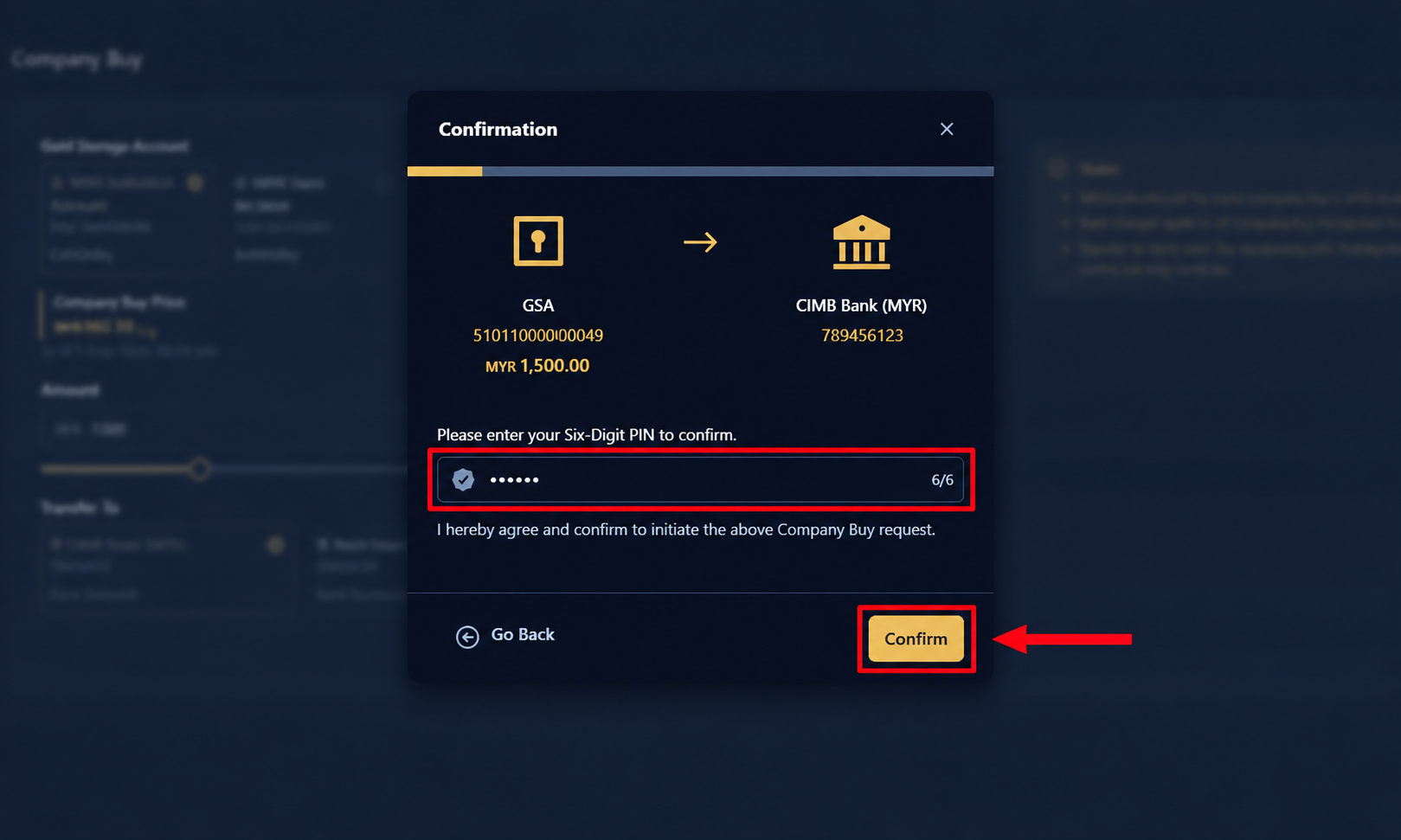
Review all transaction details carefully.
If everything is correct:
- Enter your 6-digit PIN.
- Click or tap Confirm.
Step 8: Transaction Successful
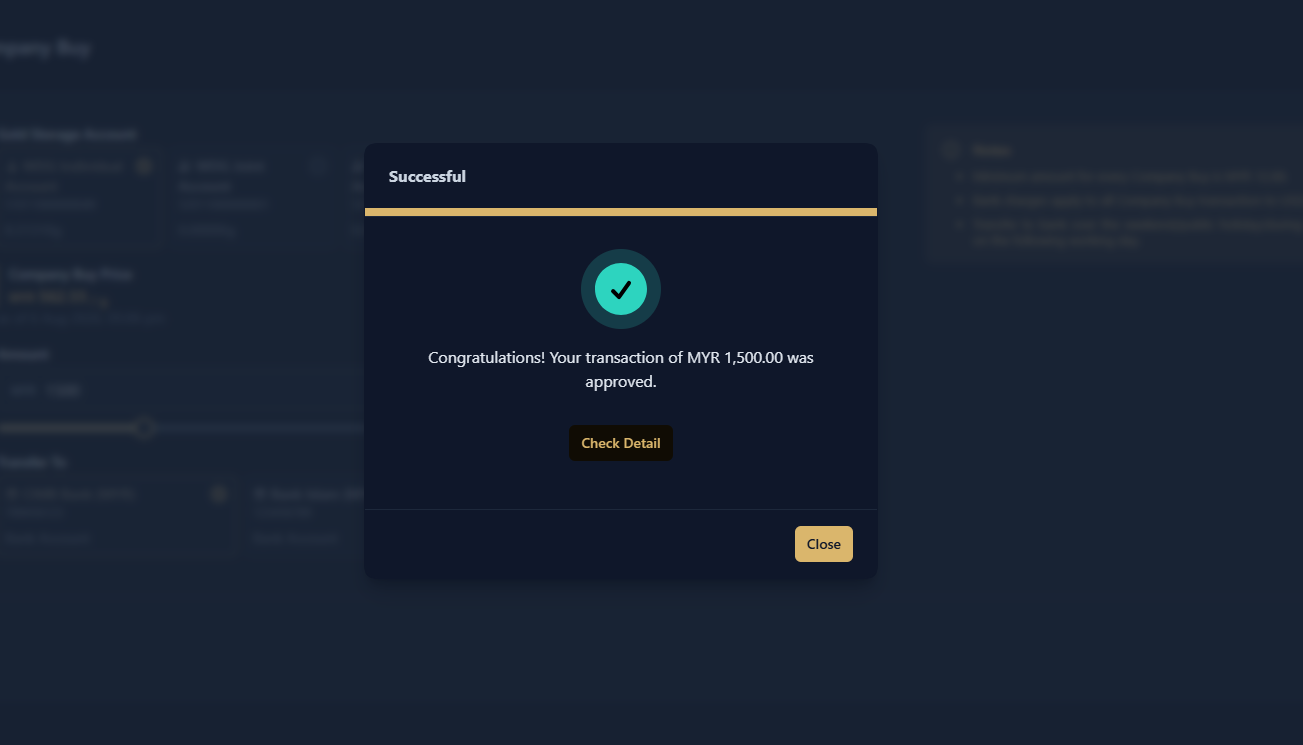
Once your transaction has been processed successfully, a confirmation screen will be displayed.
The proceeds from your gold sale will be transferred to your selected verified bank account according to WDG's processing schedule.
Was this article helpful?
That’s Great!
Thank you for your feedback
Sorry! We couldn't be helpful
Thank you for your feedback
Feedback sent
We appreciate your effort and will try to fix the article