Step 1: Access WDG Mobile App
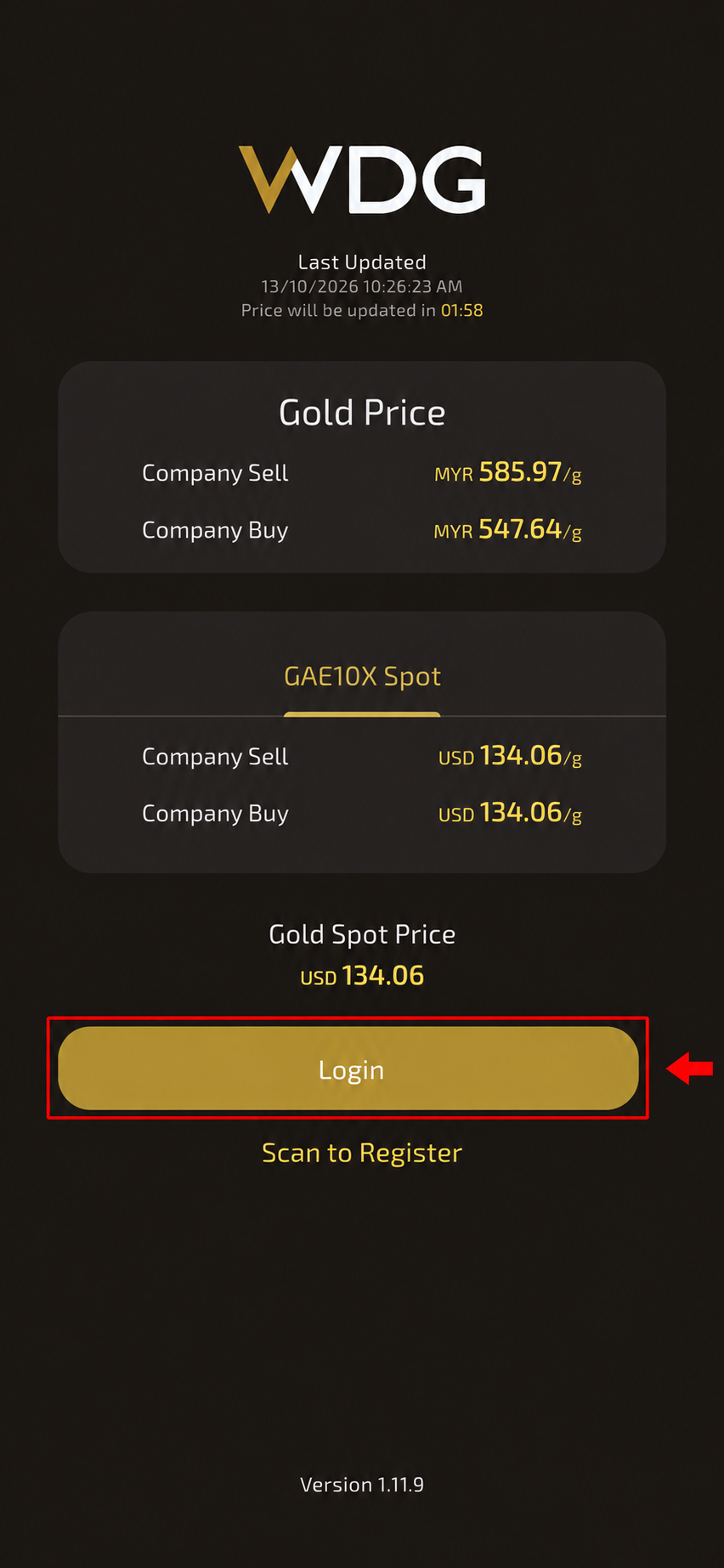
Download WDG Global from the Google Play Store or Apple App Store.
Once installed, launch the app and tap Login.
Step 2: Select Your Country
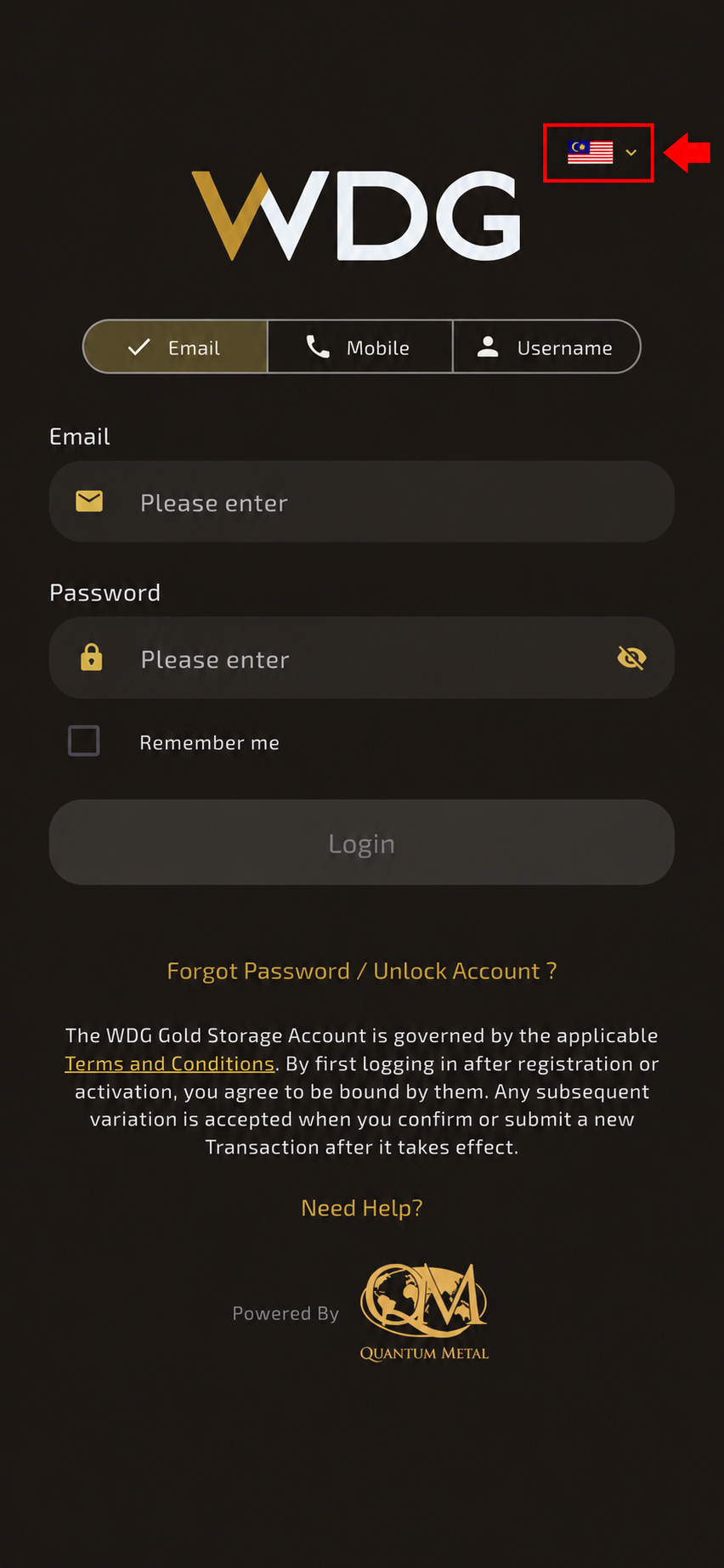
On the login page, tap the flag icon at the top-right corner and select your country from the dropdown menu.
Step 3: Enter Your Login Credentials
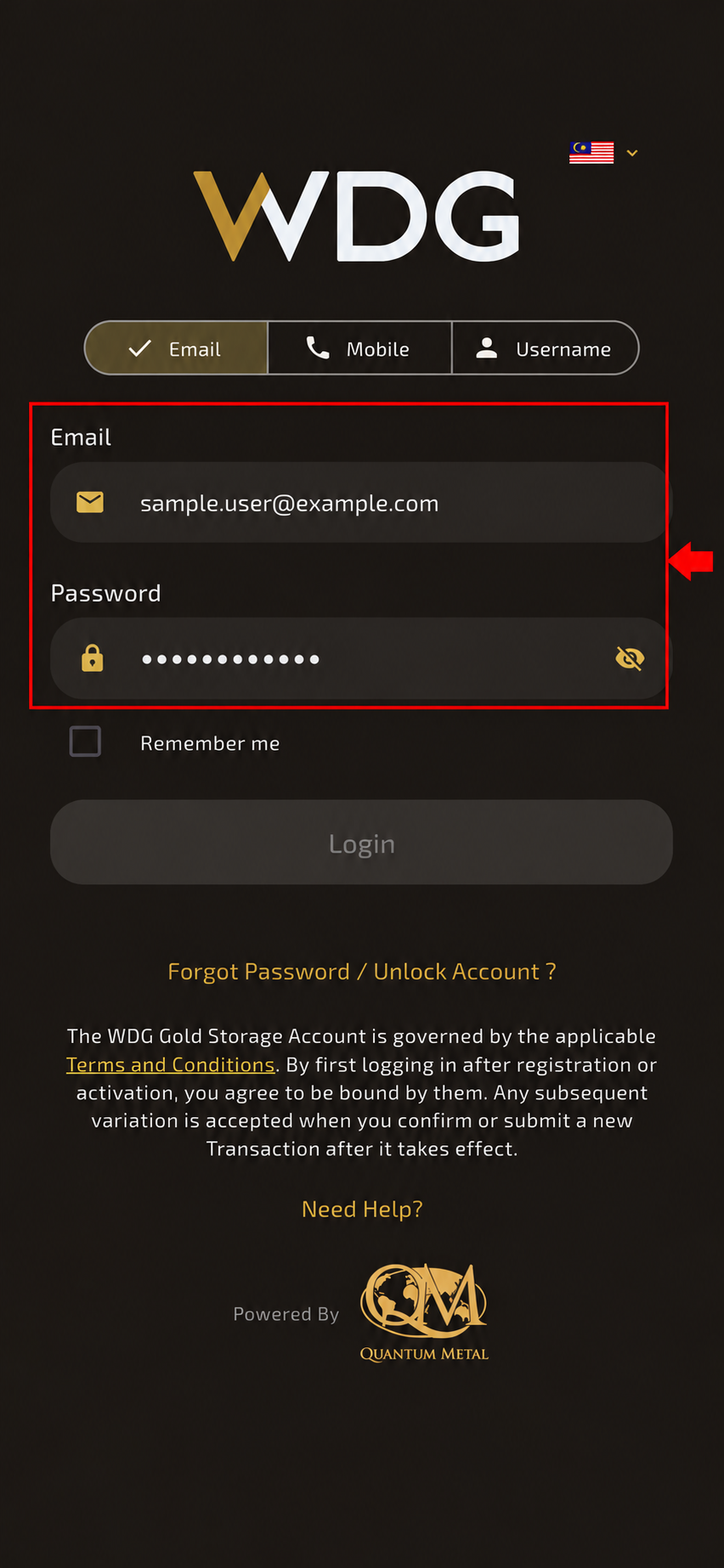
Enter your registered login details:
Email Address, Mobile Number, or Username
Password
Ensure the information entered is correct.
Step 4: Log In
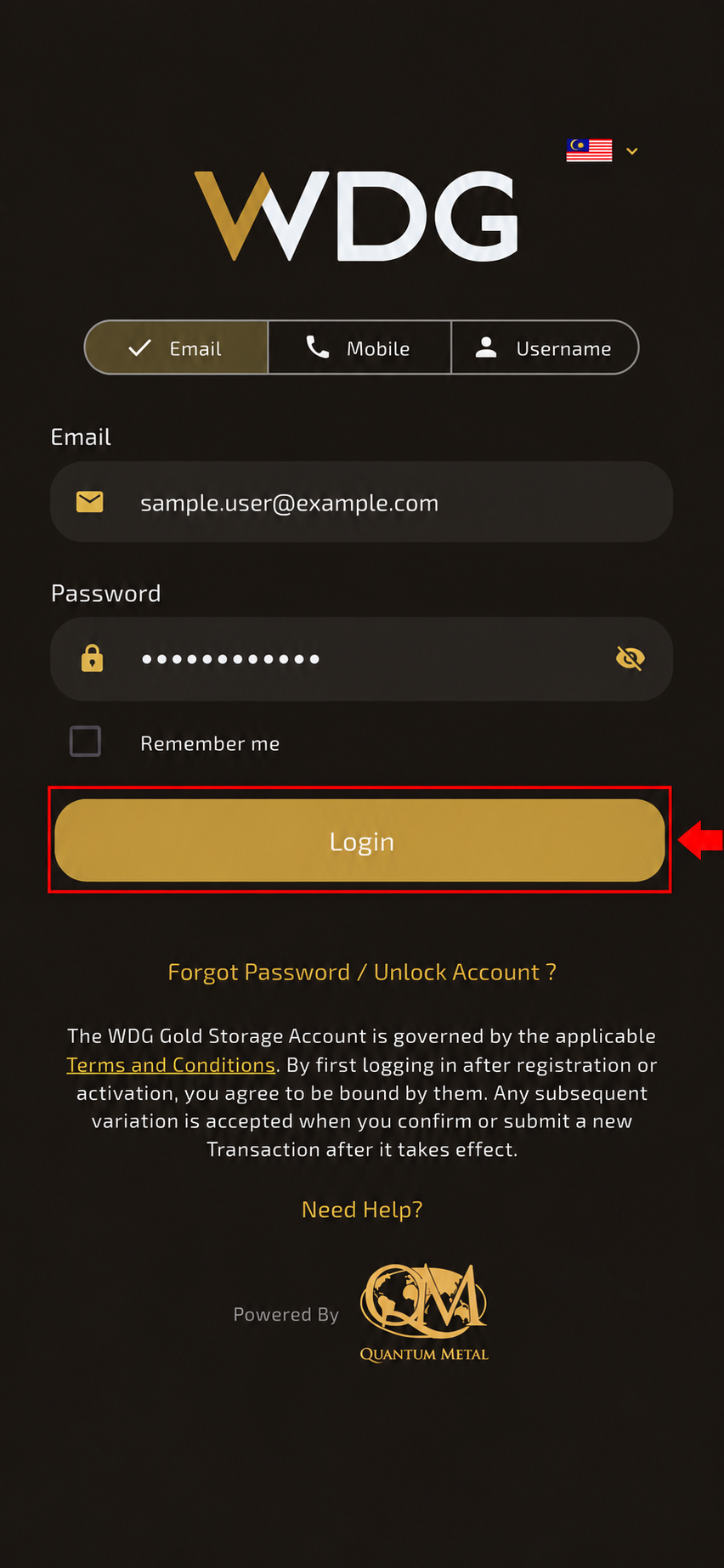
Tap Login to access your WDG account.
Once your credentials are verified, you will be directed to your account dashboard.
Was this article helpful?
That’s Great!
Thank you for your feedback
Sorry! We couldn't be helpful
Thank you for your feedback
Feedback sent
We appreciate your effort and will try to fix the article