If your account has been locked, you can unlock it yourself by using the Self Unlock feature. Simply verify your registered email address or mobile number to regain access.
Step 1: Click Need Help? on the Login Page
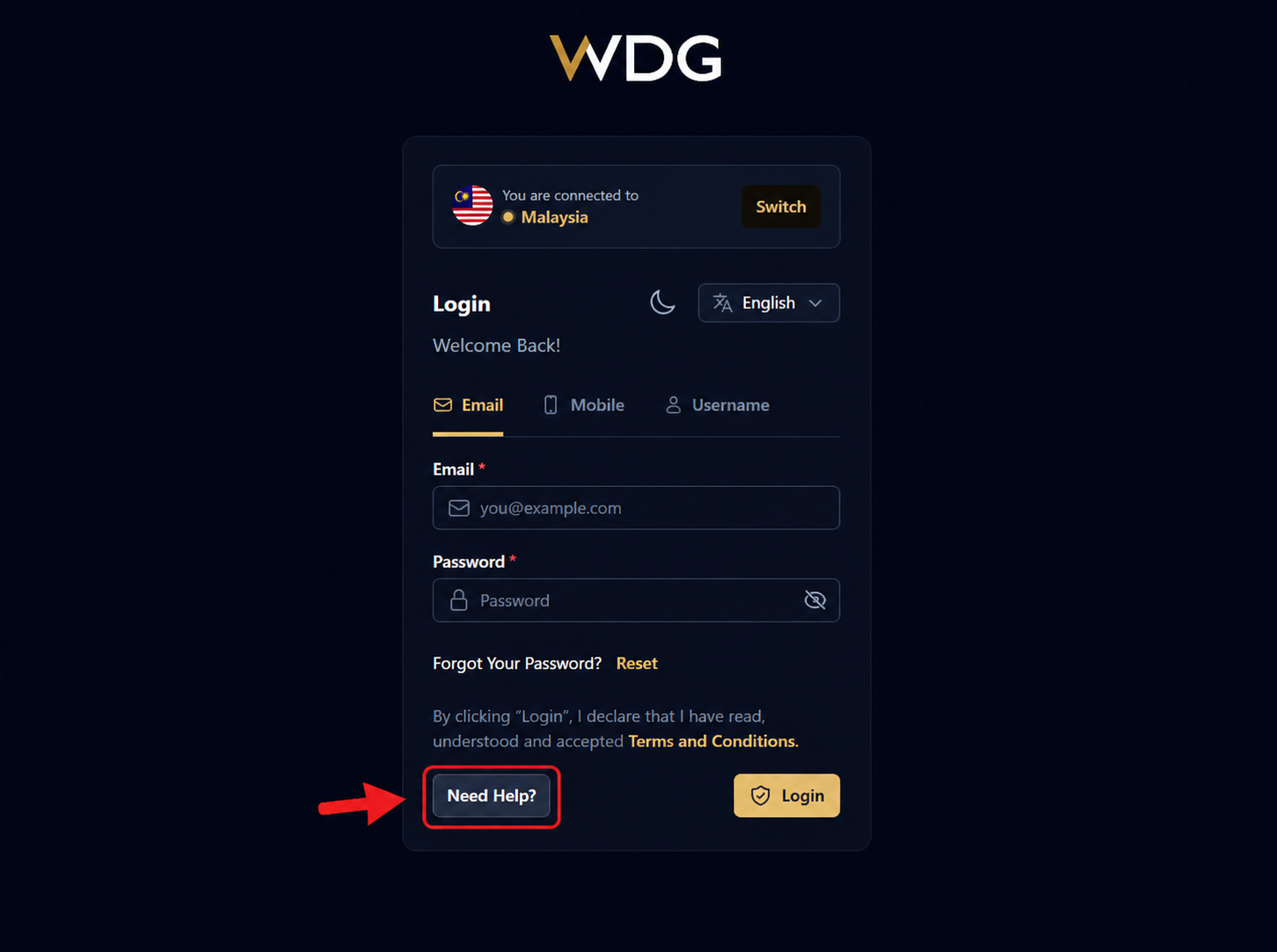
On the WDG login page, click or tap the Need Help? button located at the bottom left of the login panel.
Step 2: Select Click Here to Unlock
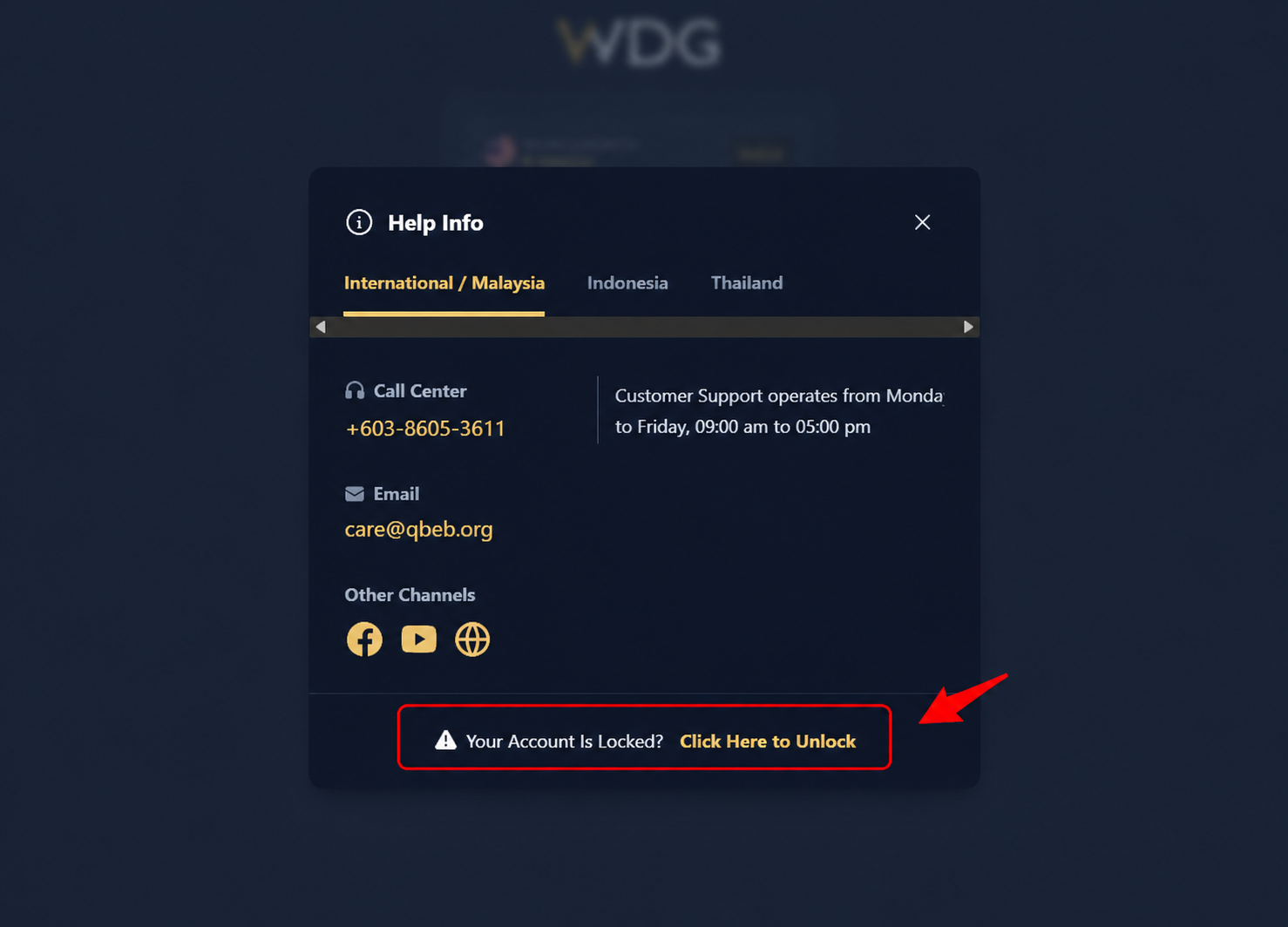
The Help Info window will appear.
At the bottom of the window, locate the message:
"Your Account Is Locked? Click Here to Unlock"
Click or tap Click Here to Unlock to begin the account recovery process.
Step 3: Choose Your Verification Method
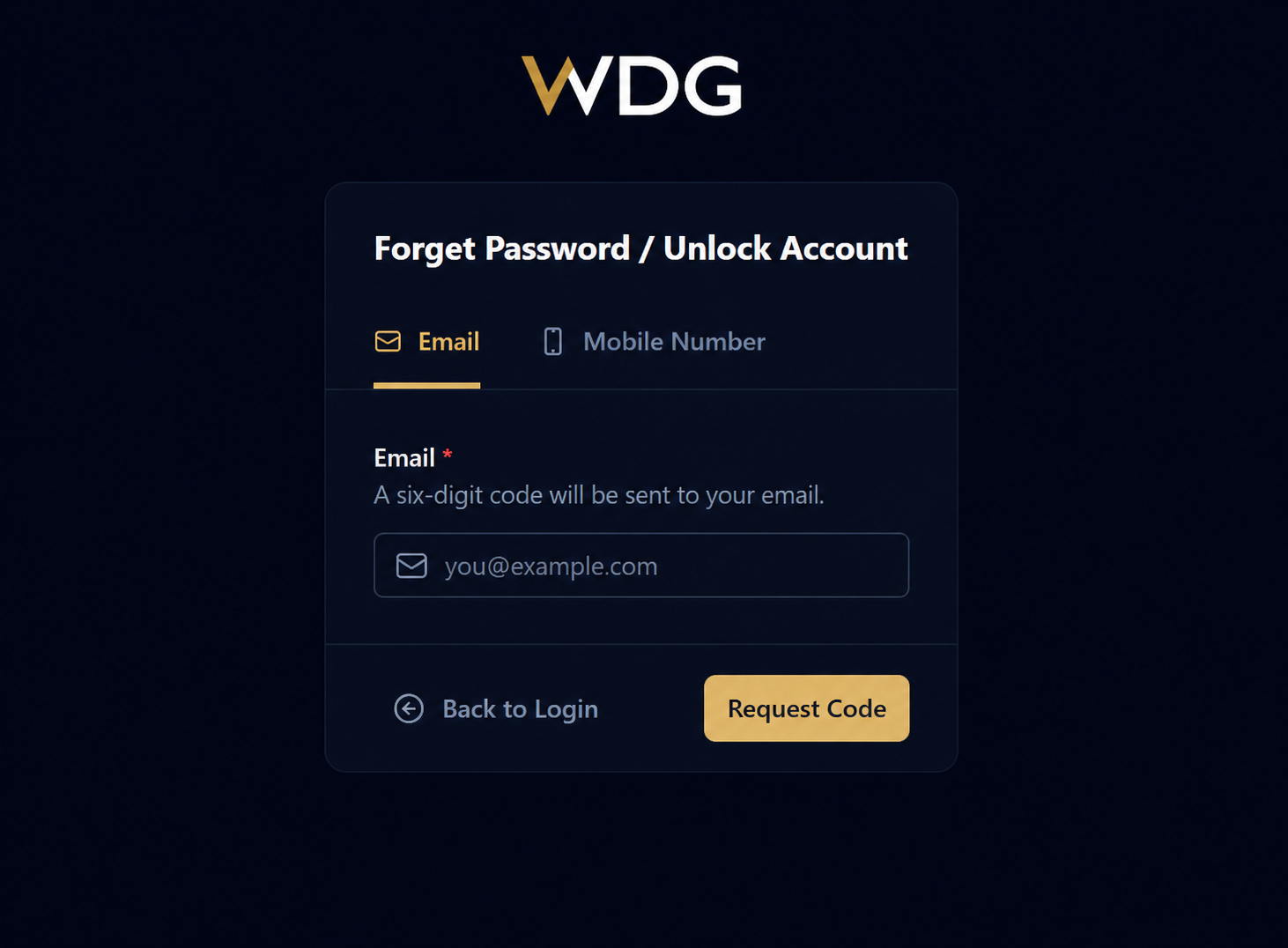
On the Forgot Password / Unlock Account page, select your preferred verification method:
- Email Address (registered with your WDG account), or
- Mobile Number (registered with your WDG account)
Choose the option you wish to use for password recovery.
Step 4: Request a Verification Code
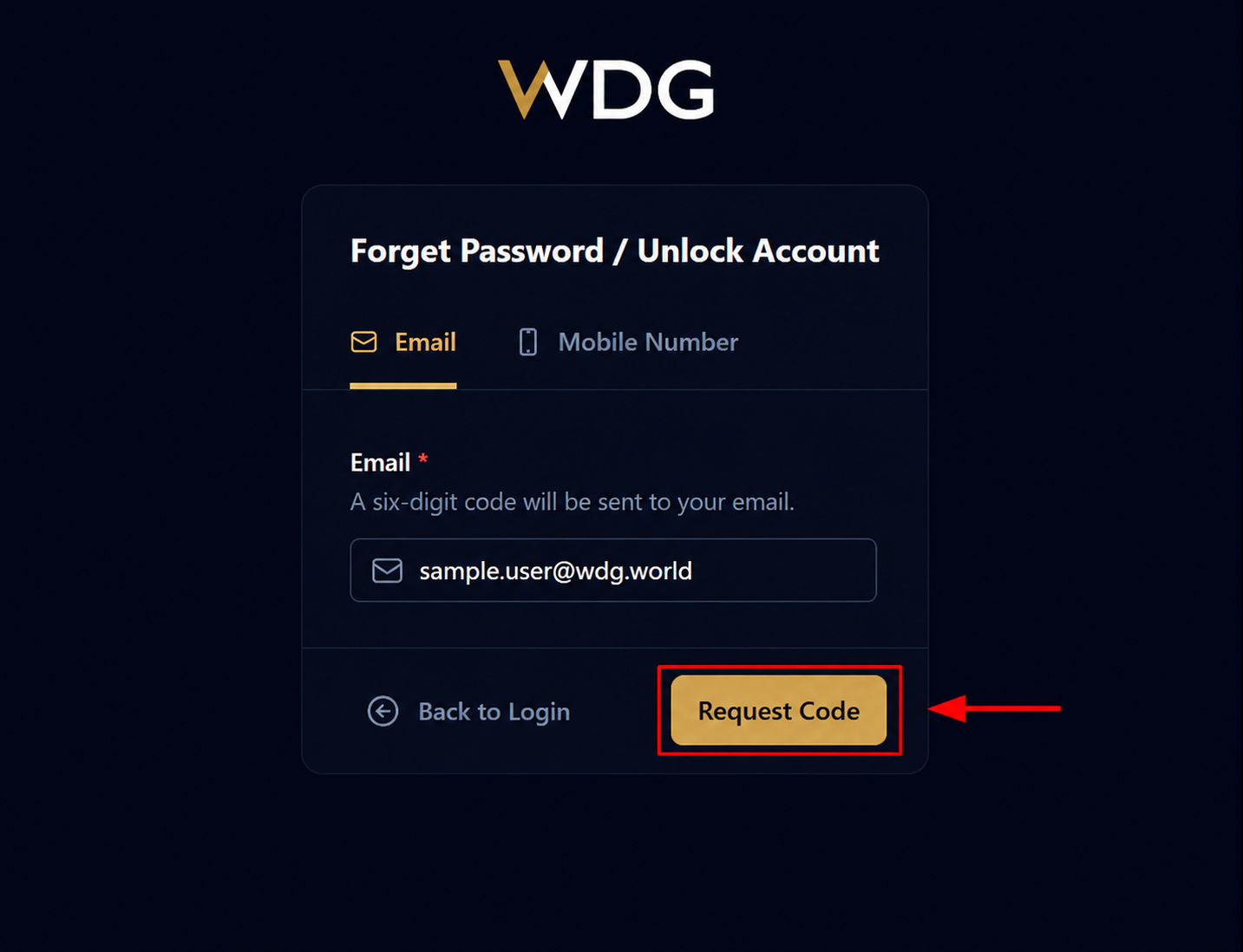
Enter your registered Email Address or Mobile Number in the required field.
After entering the information, click or tap Request Code.
A 6-digit TAC (verification code) will be sent to your registered email address or mobile number.
Step 5: Enter 6-digit TAC
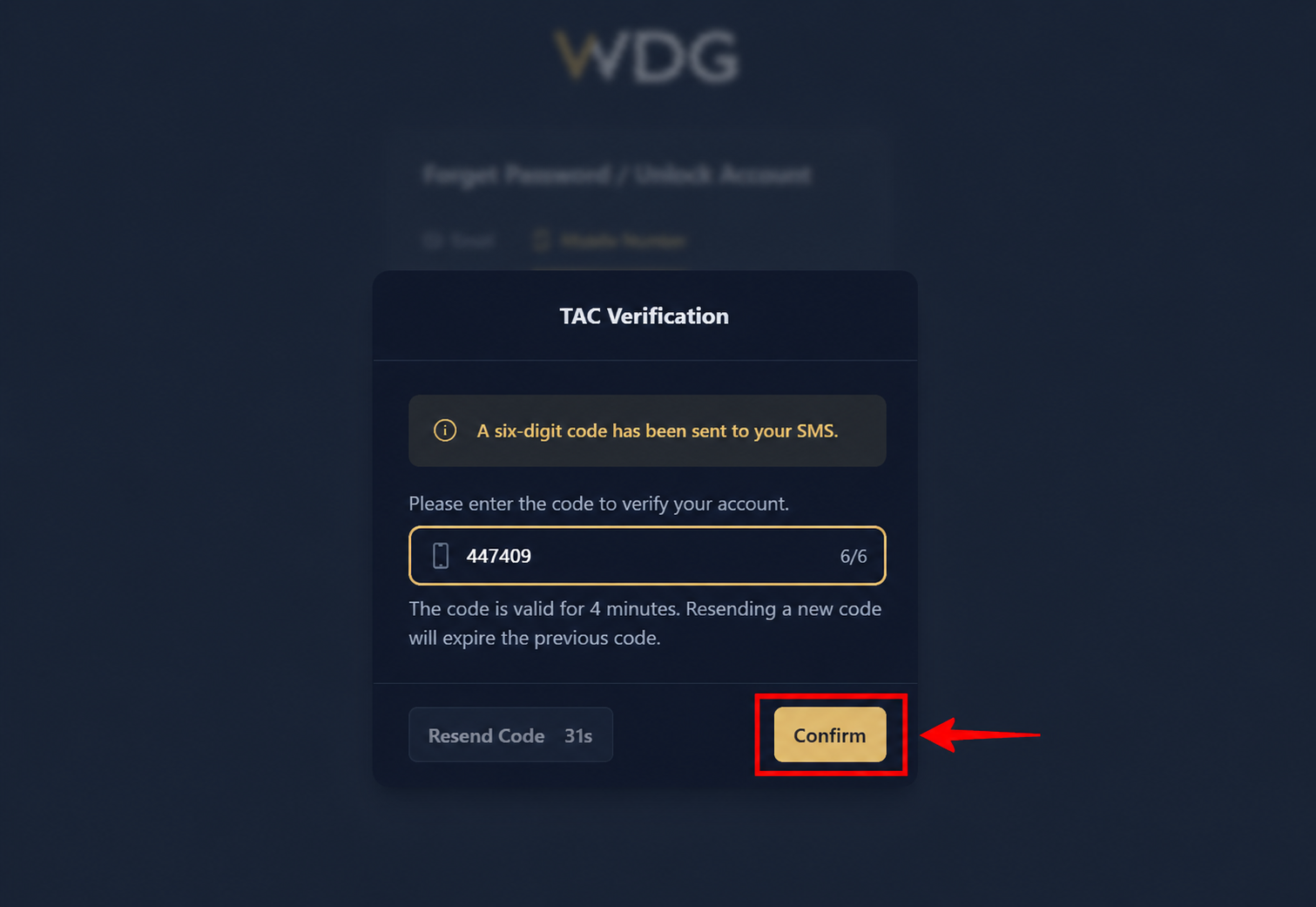
Enter the 6-digit TAC received via Email/SMS and click Confirm.
Step 6: Create New Password
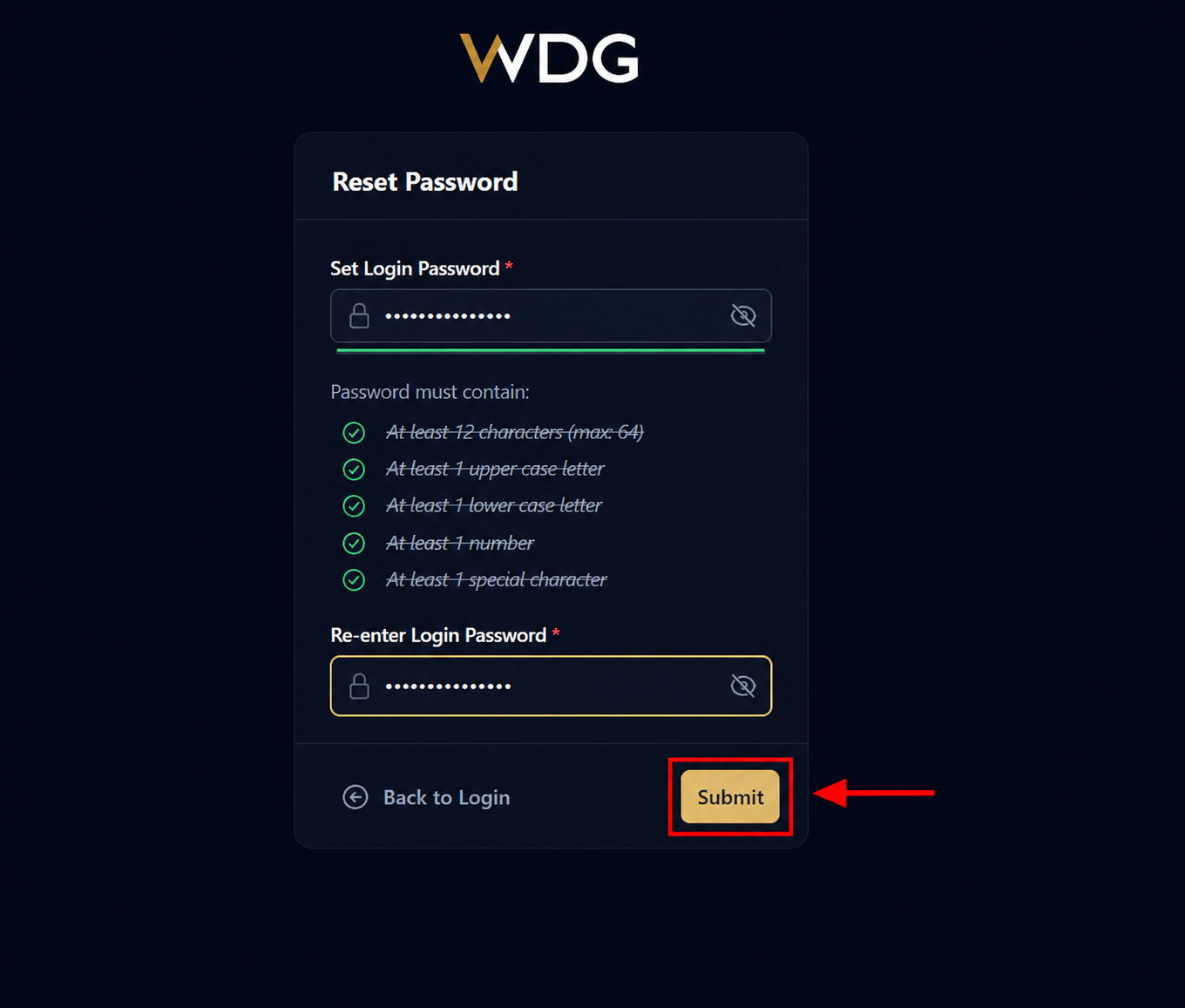
Create a new password that meets all password requirements. Re-enter your new password and click Submit.
Step 7: Successfully Reset
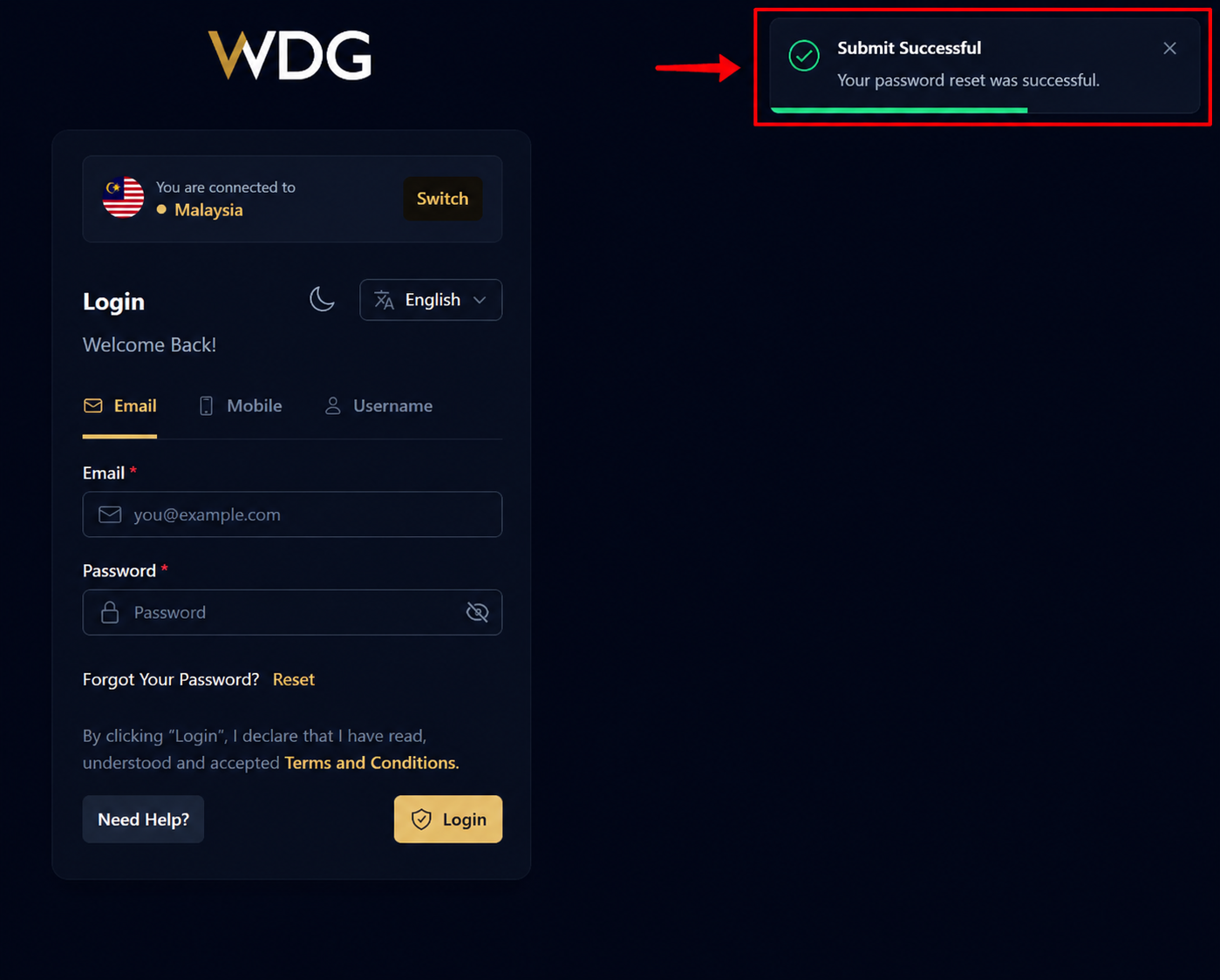
A success message will appear indicating that your password has been reset successfully.
Over the Login page sign in using your new password.
Was this article helpful?
That’s Great!
Thank you for your feedback
Sorry! We couldn't be helpful
Thank you for your feedback
Feedback sent
We appreciate your effort and will try to fix the article