For security and account protection, registered mobile numbers and email addresses cannot be updated directly through the WDG system once they have been successfully bound to your account.
If you need to change your registered mobile number or email address, please submit a request to our Customer Care team for verification.
How to Request an Update
Please send an email to care@qbeb.org with the following information:
Name
IC / Passport Number
Old Mobile Number / Email Address
New Mobile Number / Email Address
Identity Verification
For security purposes, you must attach a recent selfie holding your IC (MyKad) or Passport.
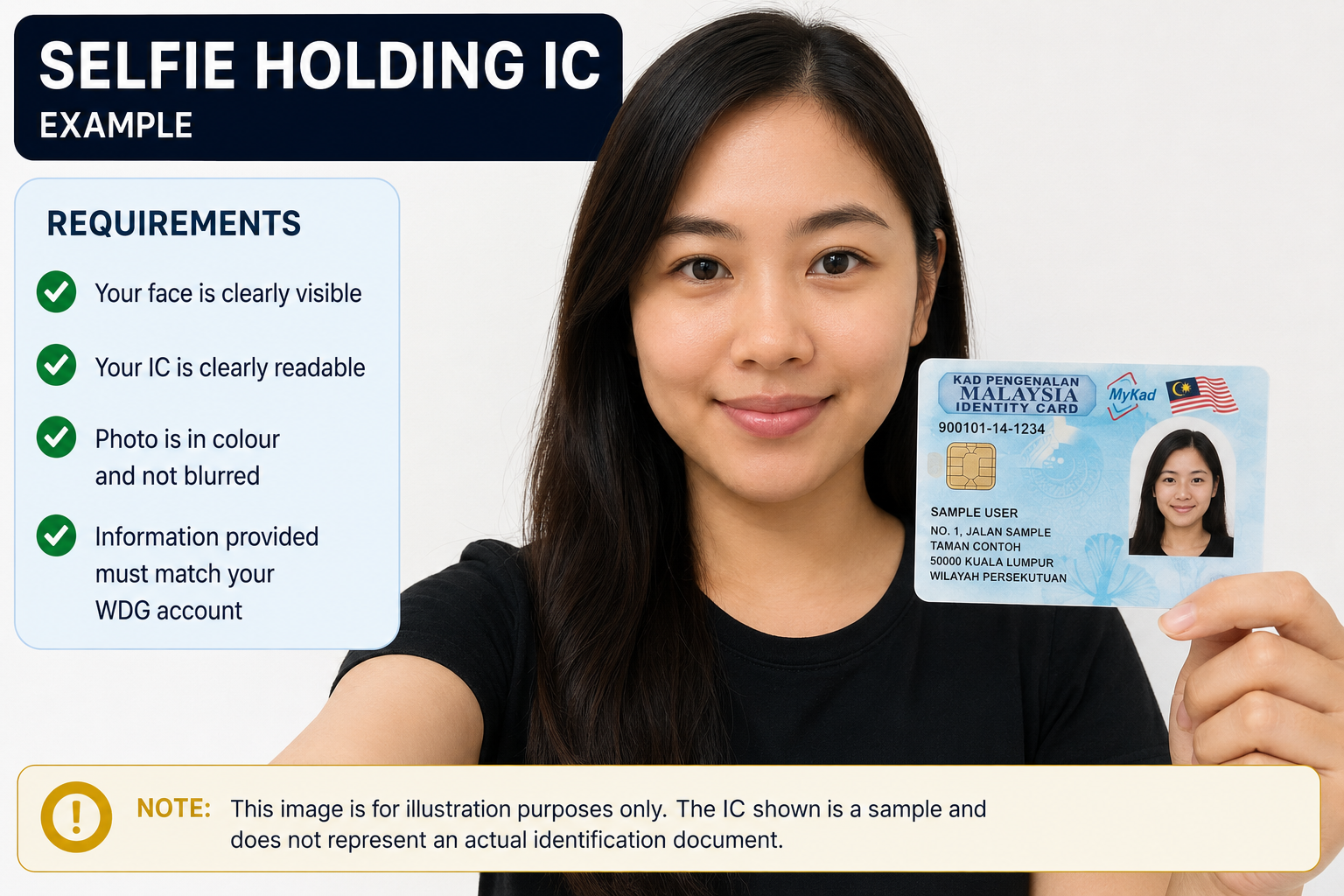
Requests submitted without the required verification photo or with incomplete information cannot be processed.
Processing Your Request
Once we receive your email, our Customer Care team will verify your information before updating your registered mobile number or email address.
If additional information is required, our team will contact you using your registered contact details or via email.
Was this article helpful?
That’s Great!
Thank you for your feedback
Sorry! We couldn't be helpful
Thank you for your feedback
Feedback sent
We appreciate your effort and will try to fix the article