You can change your Six-Digit PIN at any time from your WDG account. Your Six-Digit PIN is used to verify your identity when performing selected account transactions.
Step 1: Access the Account Menu
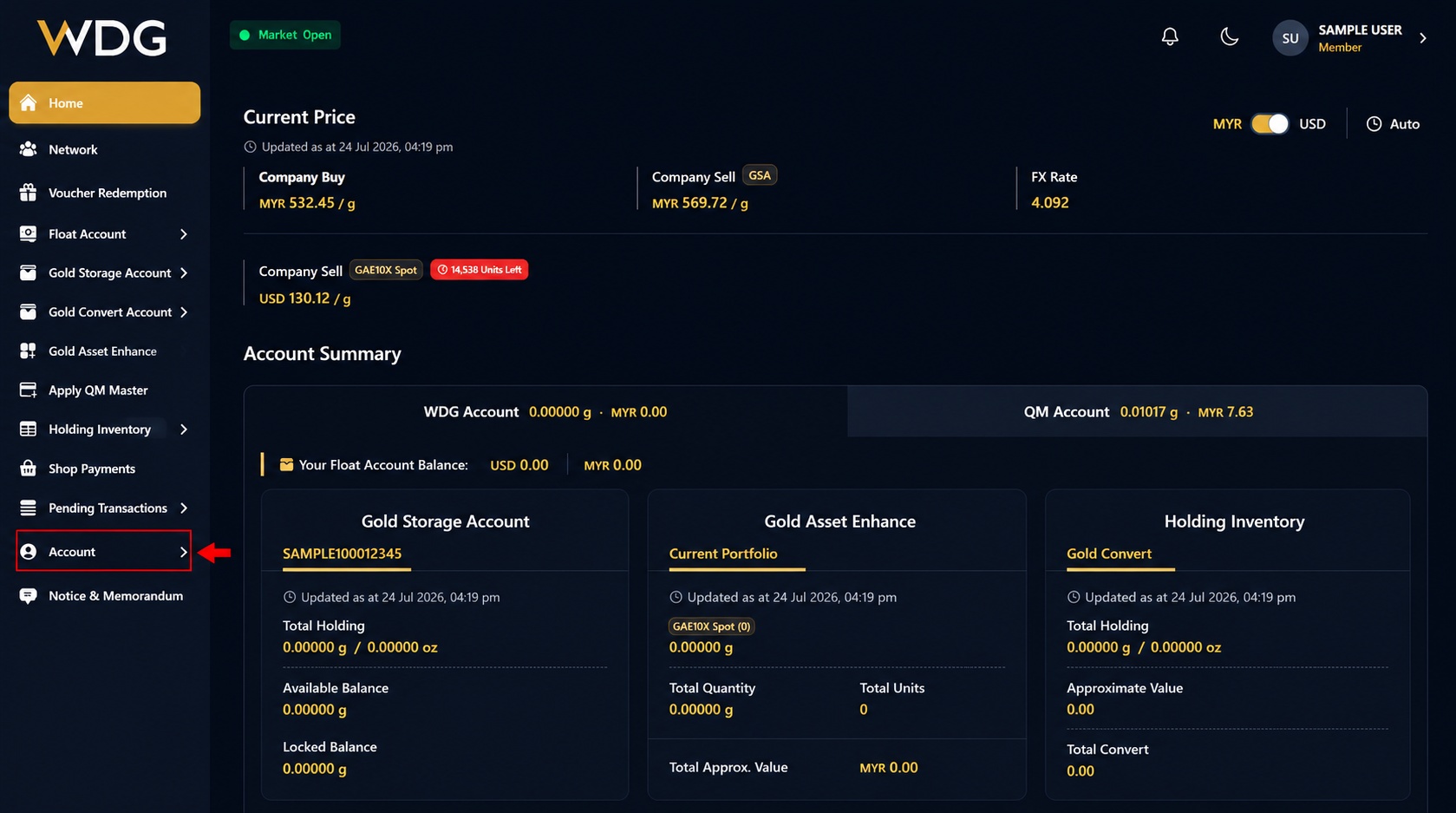
After logging in to your WDG account, locate the navigation menu on the left side of the Dashboard.
Click or tap Account to expand the menu options.
Step 2: Select Change Six-Digit PIN
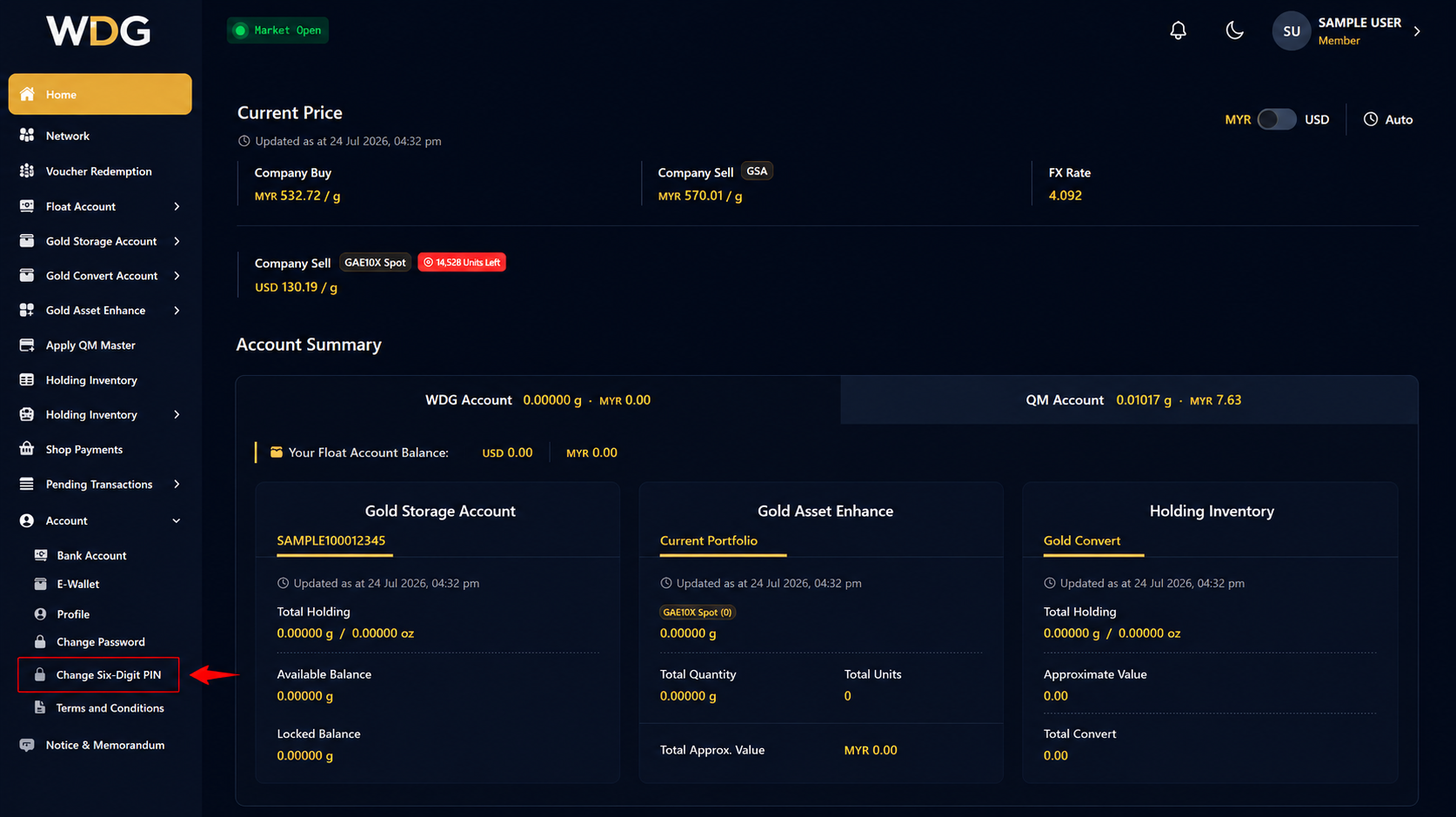
From the Account submenu, click or tap Change Six-Digit PIN.
Step 3: Enter Your PIN Details
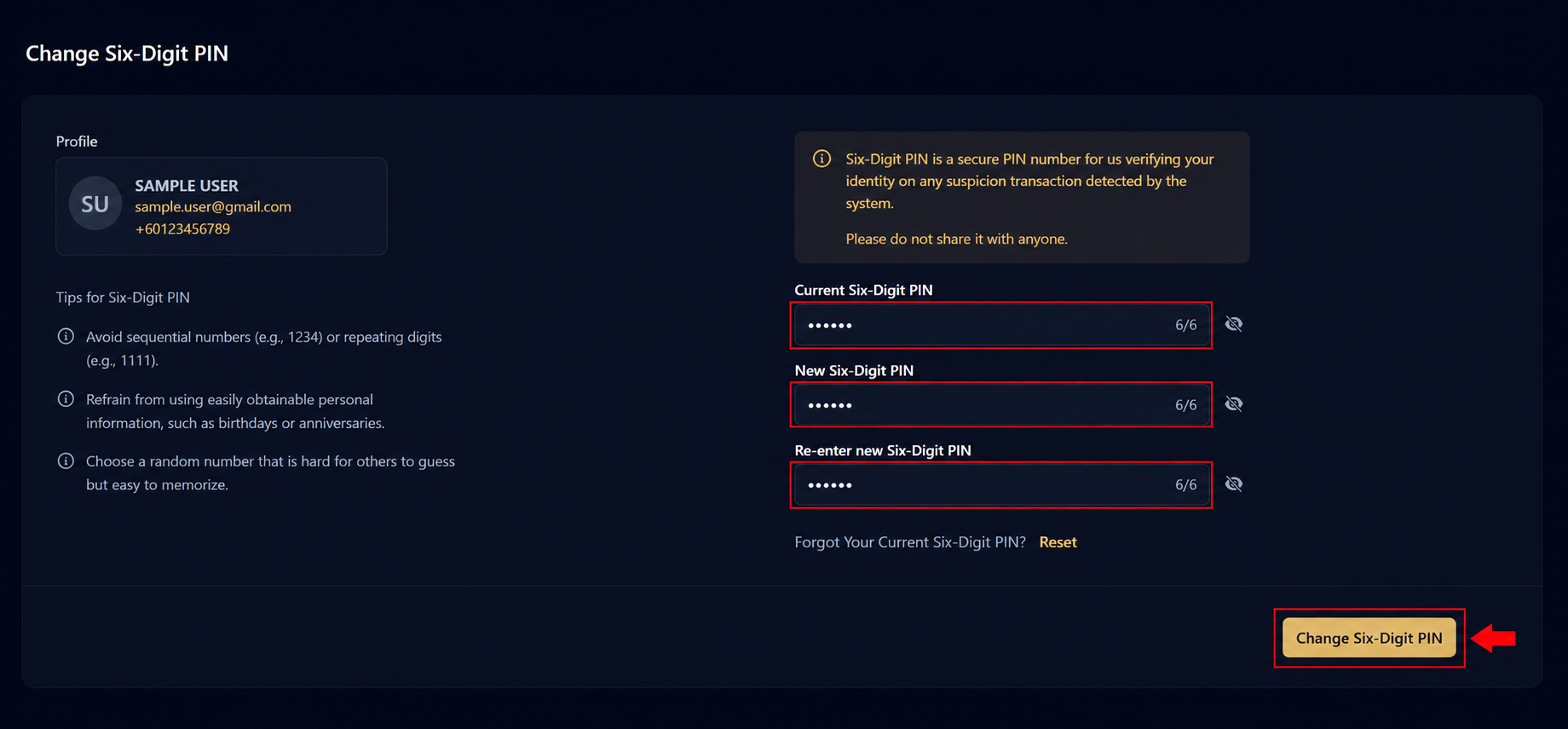
Complete the required fields:
- Current Six-Digit PIN
- New Six-Digit PIN
- Re-enter New Six-Digit PIN
After entering all required information, click or tap Change Six-Digit PIN.
Note: Choose a PIN that is difficult for others to guess. Avoid using sequential numbers (e.g., 123456), repeated digits (e.g., 111111), or personal information such as birthdays.
Step 4: PIN Updated Successfully
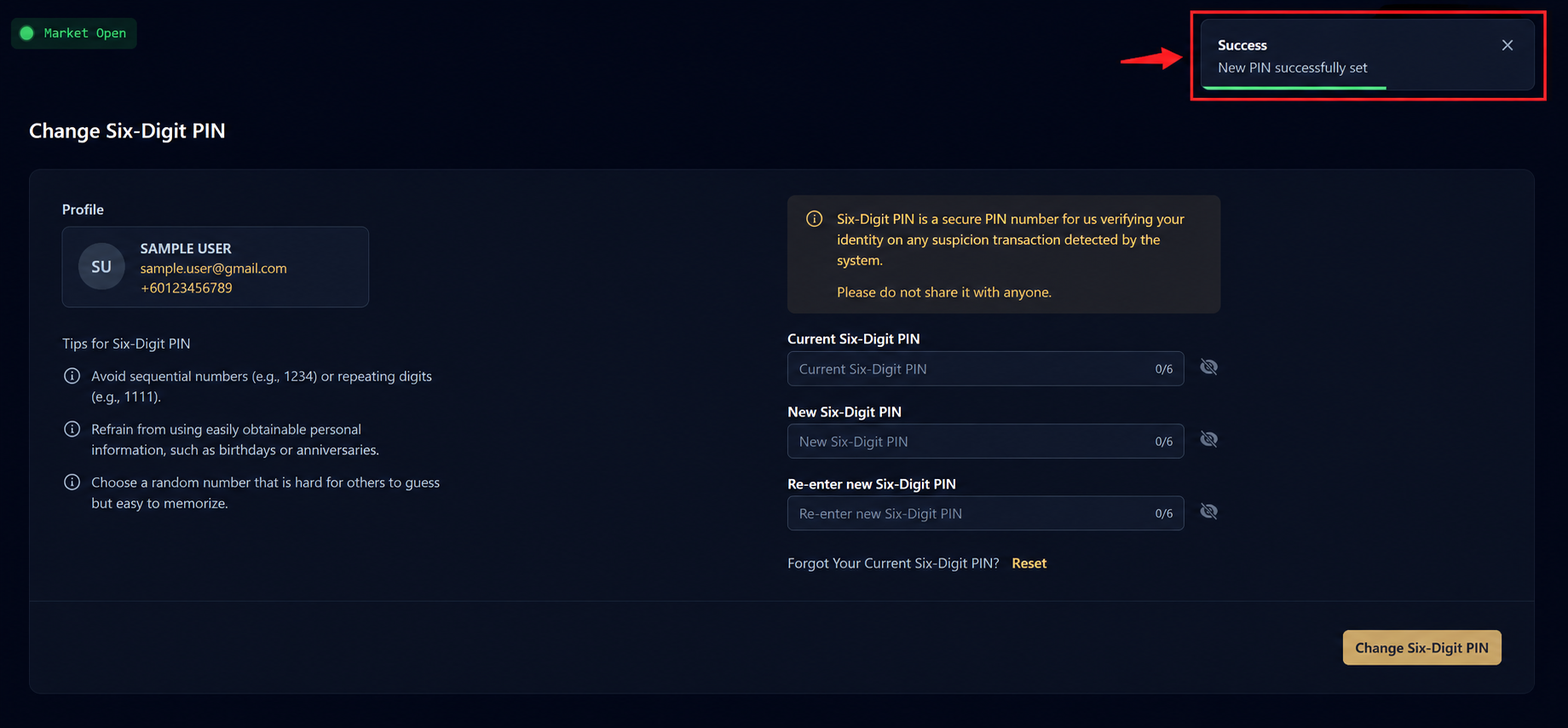
Once your request has been processed successfully, a confirmation message will appear indicating that your New PIN has been successfully updated.
Was this article helpful?
That’s Great!
Thank you for your feedback
Sorry! We couldn't be helpful
Thank you for your feedback
Feedback sent
We appreciate your effort and will try to fix the article